What must stay deterministic when AI writes an email
What we changed in the email editor, how we check generated content, and why some interrupted AI steps need to stop.

In this article
Adaptyle writes parts of an email for each recipient. A marketer adds instructions to the subject or body, chooses the context they can use, and keeps the surrounding copy and design in place.
We've spent the last year building this into maxclicks. It required changes to the editor, the way we check generated content, and the workflow runtime that prepares each message. An instruction has to survive editing. A generated paragraph has to leave the links around it alone. And a workflow needs to know whether it can safely repeat a model request after an interruption.
This post covers how we handle those problems, with code examples and results from local checks.
Deciding who needs a message
In our fictional onboarding campaign, Maya and Daniel share an account. Daniel has created a project; Maya hasn't. A query checks their individual activity, and a branch lets Daniel skip the reminder.
We use ordinary logic for that decision. The model's job comes afterward: helping explain a useful next step using the person's stated goal. If Maya wants to coordinate a launch, the message can suggest an announcement draft and bringing reviewers into the project. For a simple “create your first project” reminder, authored copy is enough.
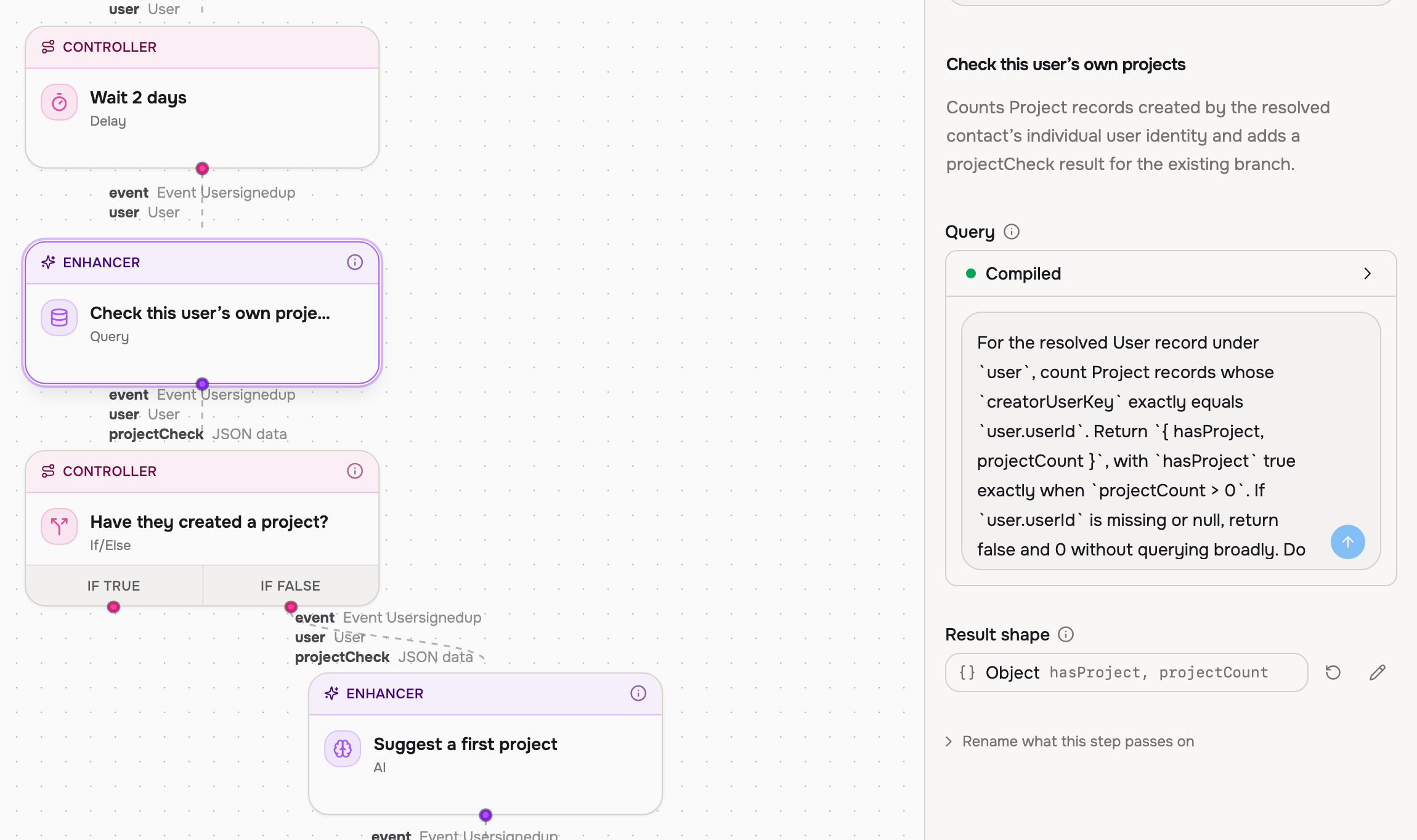
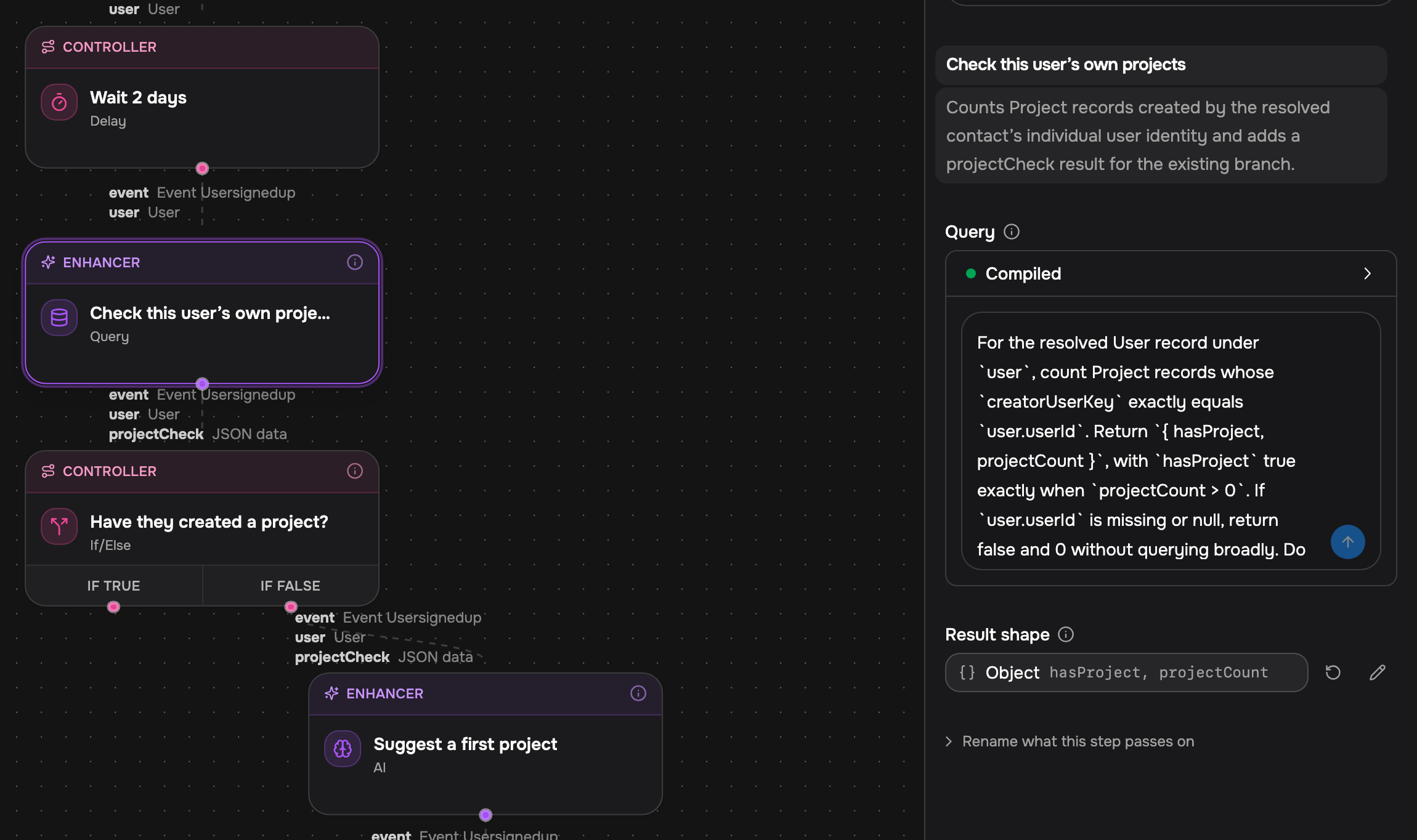
The saved demo above separates the Query and AI steps. It still needs a check for missing identity: its query returns zero when the identifier is absent. We work through that issue in Generating customer logic once, evaluating it many times. The screenshot shows the configuration, rather than a completed run.
Saving instructions in the editor
An email editor has to handle text, formatting, links, and customer variables. Adaptyle adds instructions that run when the email is prepared for a recipient. Those instructions need to stay attached to the right content as someone edits the document.
We rebuilt our rich editor's document model and rendering pipeline to support this. The underlying editing primitives come from editor libraries. Our work was making the different kinds of content behave correctly together, from the editor through to the finished email.
For example, angle brackets in ordinary text need escaping, but a template expression must still resolve. A missing customer value needs a fallback. Moving a paragraph must preserve the instruction that applies to it.
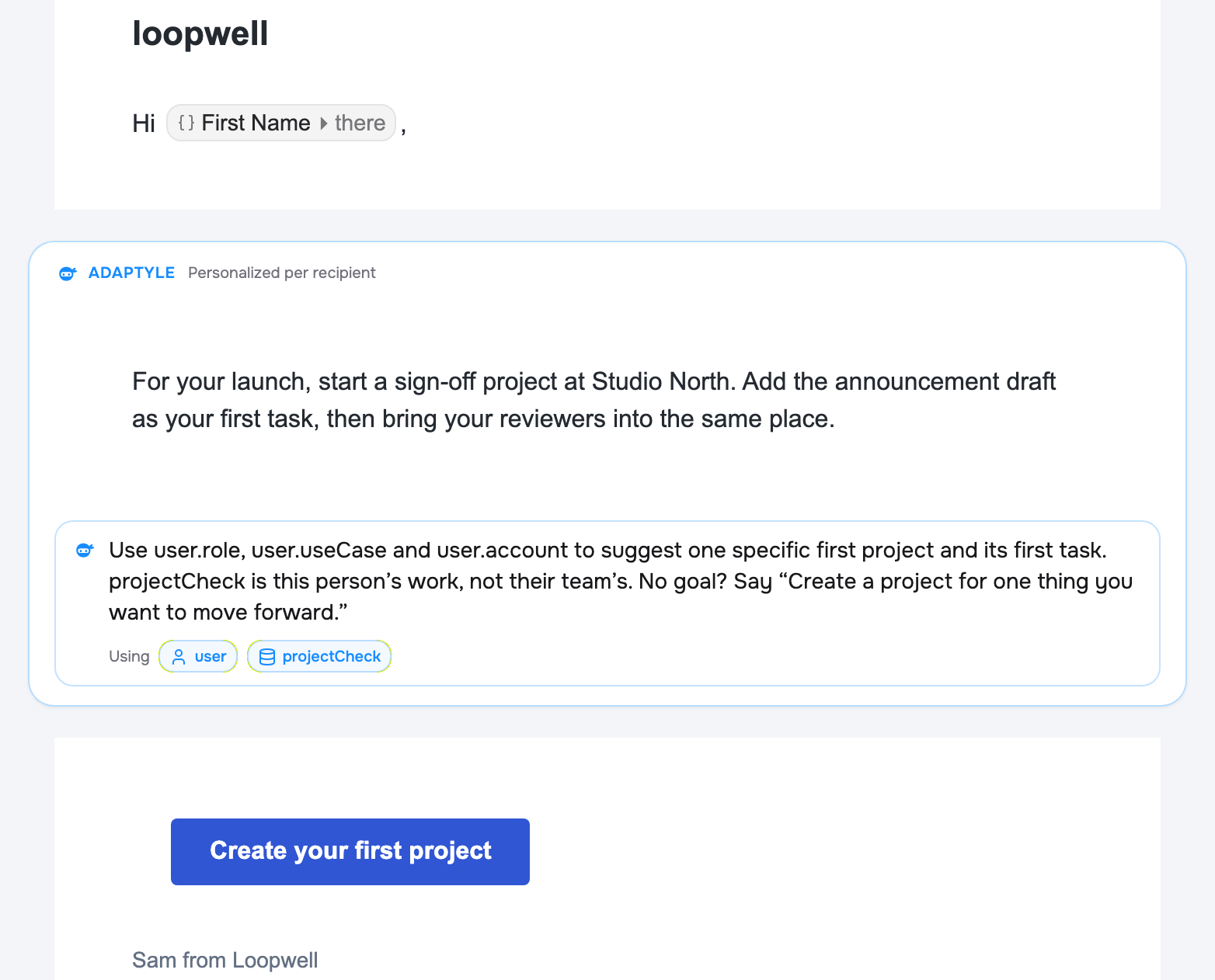
We also needed to record which parts of the email the model could change. That gives us something to check when the result comes back.
Here's a simplified version with one editable paragraph between a fixed greeting and a fixed link:
const fixed = {
  before: 'Hi Maya,\n\n',
  after: '\n\nCreate your first project: https://example.com/projects/new',
}

function preservesFixedContent(output) {
  return (
    output.length >= fixed.before.length + fixed.after.length &&
    output.startsWith(fixed.before) &&
    output.endsWith(fixed.after)
  )
}
The function checks the beginning and end of the message. It rejects a changed greeting, a changed destination, or extra text after the ending. It leaves the paragraph between them free to change.
Checking the generated email
We ran four candidate emails through the actual protected-content validator. We wrote the candidates by hand so we could test each change separately.
| Candidate change | Validator result |
|---|---|
| Replace the instructed paragraph | Accepted |
| Change the destination from /projects/new to /upgrade | Rejected |
| Append an offer after the fixed ending | Rejected |
| Invent a fact inside the instructed paragraph | Accepted |
Scroll horizontally to read all columns.
The last row shows what this validator can't check. These two messages both preserve the greeting and link:
const helpful =
  fixed.before + 'Start a project for your announcement draft.' + fixed.after

const unsupported =
  fixed.before + 'Your team completed three projects yesterday.' + fixed.after

preservesFixedContent(helpful) // true
preservesFixedContent(unsupported) // also true
Nothing in the fixture supports the claim about three completed projects. The structural check accepts it because the invented fact sits inside the region the model is allowed to change.
We therefore assess factual grounding separately, using the facts supplied for the message. We also inspect the finished subject and body together. Checking a paragraph in isolation can miss a problem introduced when the email is assembled.
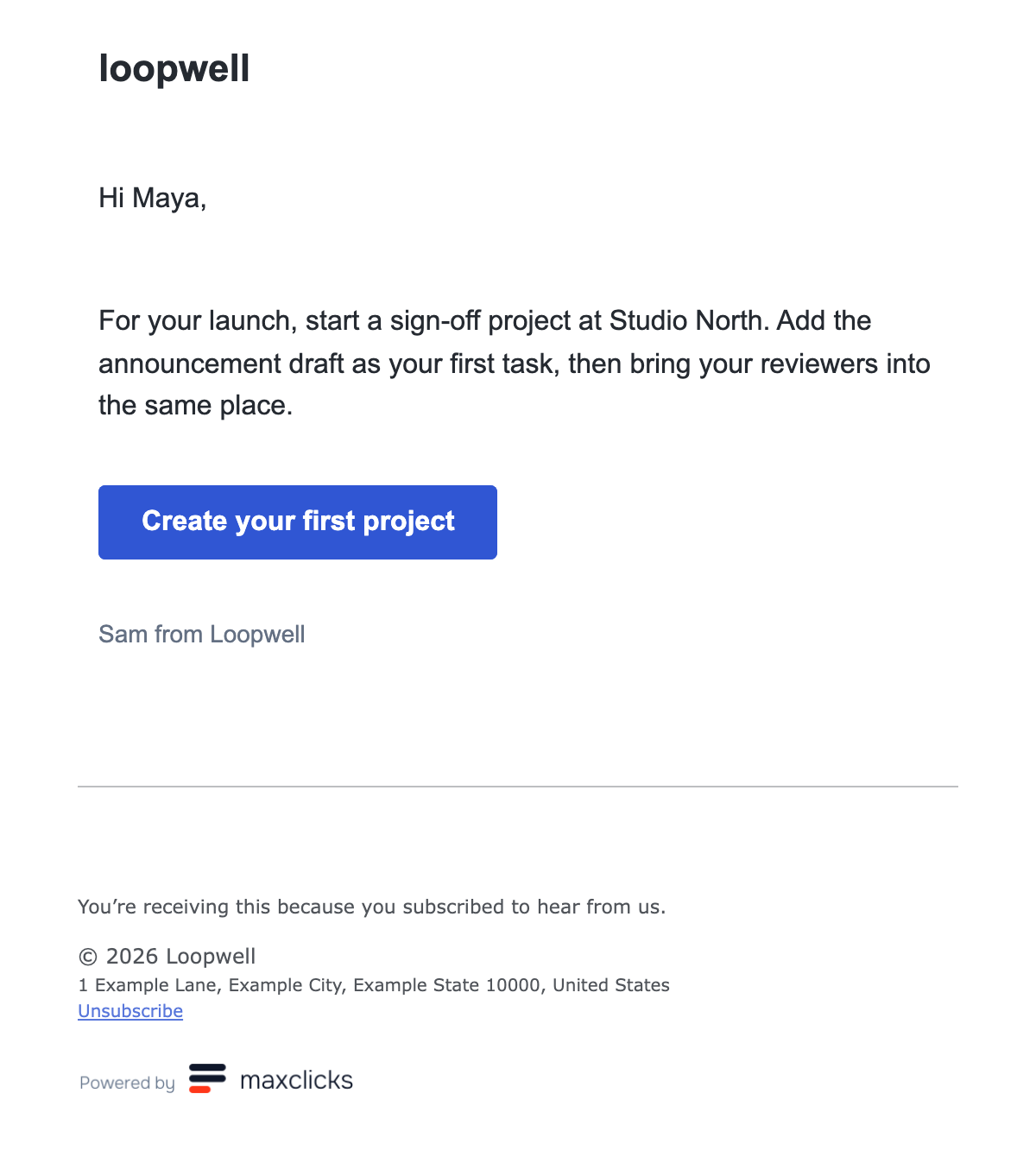
This is a saved preview for the fictional campaign. It shows the generated paragraph inside the authored design.
Choosing what the model sees
The email's representation takes up part of the token budget, alongside instructions, customer data, and brand guidance. Output needs room too. Even a short paragraph can require the model to work through a substantial amount of surrounding content.
We looked at whether removing the general recipient context would help. Facts already supplied by the template remained available. Our September 2026 experiment notes record different results depending on how the template was written:
| Template condition | Observation after removing general context |
|---|---|
| Instructions named usable facts and supplied explicit fallbacks | Less context helped in the recorded tests |
| Instructions requested facts without explicit fallbacks | Invented details became more likely |
Scroll horizontally to read all columns.
We couldn't recover the original per-render judgments for this post, and we haven't rerun the comparison with today's model. These are historical observations, rather than a current benchmark.
Take an instruction that asks for a launch date when none has been supplied:
Underspecified:
Mention the recipient's next launch date.

Explicit:
Launch date: not supplied.
Do not invent a date. Suggest creating an announcement draft.
The first instruction still asks for a date even when none is available. The second tells the model what to do instead. Removing context without changing the first instruction can leave the request intact while taking away information the model could use to recognize the gap.
Our notes also record a comparison with generating separate fragments. That approach didn't improve factual grounding in the recorded tests. Smaller requests alone weren't enough to improve the result.
These experiments made the template itself part of the context decision. Instructions need to name the facts they depend on and say what should happen when those facts are missing. Formatting that can pass through unchanged can be handled separately from information the model needs for writing.
The costs accumulate per recipient. More context takes more input capacity; longer answers and correction attempts add output work. A preview gives us one sample of that work, so it can't establish a campaign's cost or error rate.
Resuming an AI step
A model request can finish at the provider just before a worker stops. If we haven't saved the result, the next worker doesn't know whether the request failed. Sending it again may incur another charge and produce different text.
We distinguish work that hasn't been dispatched, work with an accepted result, and work whose outcome is uncertain. This simplified policy shows what happens on a retry:
function recoveryAction({ sameInput, state }) {
  if (!sameInput) return 'stop'
  if (state === 'not_dispatched') return 'execute'
  if (state === 'accepted') return 'reuse'
  return 'stop' // Dispatched, but no accepted result.
}
We tested the effect-recording helper with fake storage and a fake provider, injecting failures at different points. The table counts calls to that fake provider. These checks cover the helper's decisions; database locking, process crashes, and real-provider behavior need separate tests.
| Injected condition | Observed outcome | Provider calls |
|---|---|---|
| Stop before dispatch, then resume | Execute the work | 1 |
| Accept a false result, fail the caller checkpoint, then retry | Reuse the false result | 1 |
| Dispatch, lose the response, then retry three times | Remain blocked | 1 |
| Change the inputs after accepting a result | Refuse replay | 1 |
| Visit a later occurrence of the same step | Record a separate result | 2 total |
Scroll horizontally to read all columns.
A saved false needs to be reused just like any other result. A later visit to the same workflow node, however, is new work. We track the occurrence so it can run without overwriting the earlier result.
When a request may have completed but no result was accepted, the helper reports that reconciliation is needed and refuses another dispatch. It remains blocked until there's enough evidence to establish the outcome or permit a safe retry. The helper stops the run; it doesn't resolve the uncertain outcome.
This can leave a run waiting when a retry would keep it moving. We accept that tradeoff because a timeout isn't evidence that the operation never happened. The Amazon Builders' Library article on idempotent APIs discusses the same problem in more detail.
Published AI steps also retain their configured inputs, model settings, tools, and expected output shape. Changing an application default won't silently change that saved configuration. This still can't guarantee that a future model request will return identical text, which is another reason to reuse an accepted result.
Try the examples
You can run the JavaScript example locally:
node email-contract.mjs
It checks the fixed-content example and the recovery policy without dependencies, credentials, or model calls. You can also inspect the test results.
Try changing the destination, adding a made-up claim inside the paragraph, or changing an accepted operation's inputs. You can see which checks catch the change and which still pass.
The Adaptyle page has saved product examples. If you'd like to try your own campaign, work through it with us. We can look at its data, the generated message, and the conditions that should prevent it from sending.