Customer.io alternative
Looking for a Customer.io alternative?
Customer.io is a mature multichannel platform. maxclicks is an email-first platform where an agent builds the journey and every recipient can get one generated message.
Book a demoTwo ways to build a journey.
Both products compose a journey from blocks. maxclicks spends its blocks on starting, reading and deciding. Customer.io spends many of them on channels.
maxclicks
20 workflow blocksTriggers7
- Scheduled time
- Record created or updated
- Record deleted
- Event fired
- Email event
- Incoming webhook
- Attribute threshold
Context and AI5
- Find records
- Set value
- Query
- AI
- For each
Conditions and timing3
- If/else
- Switch
- Delay
Actions5
- Create or update records
- Delete records
- Fire event
- HTTP request
- Send email
Customer.io
15 workflow blocksMessages4
- Push
- SMS
- Slack
Data4
- Update people
- Send events
- Query collections
- Send and receive data
Delays3
- Time delay
- Time window
- Wait until
Branches4
- True/false
- Multi-split
- Random cohort
- Exit
Block counts are not capability. Customer.io spends four of its blocks on channels maxclicks does not send. maxclicks spends seven on starting a workflow and five on reading context.
Describe the branch. Review what it compiled to.
In maxclicks a condition is written in plain language. The inspector shows the compiled result and the fields it reads, so a reviewer checks the logic without writing it.
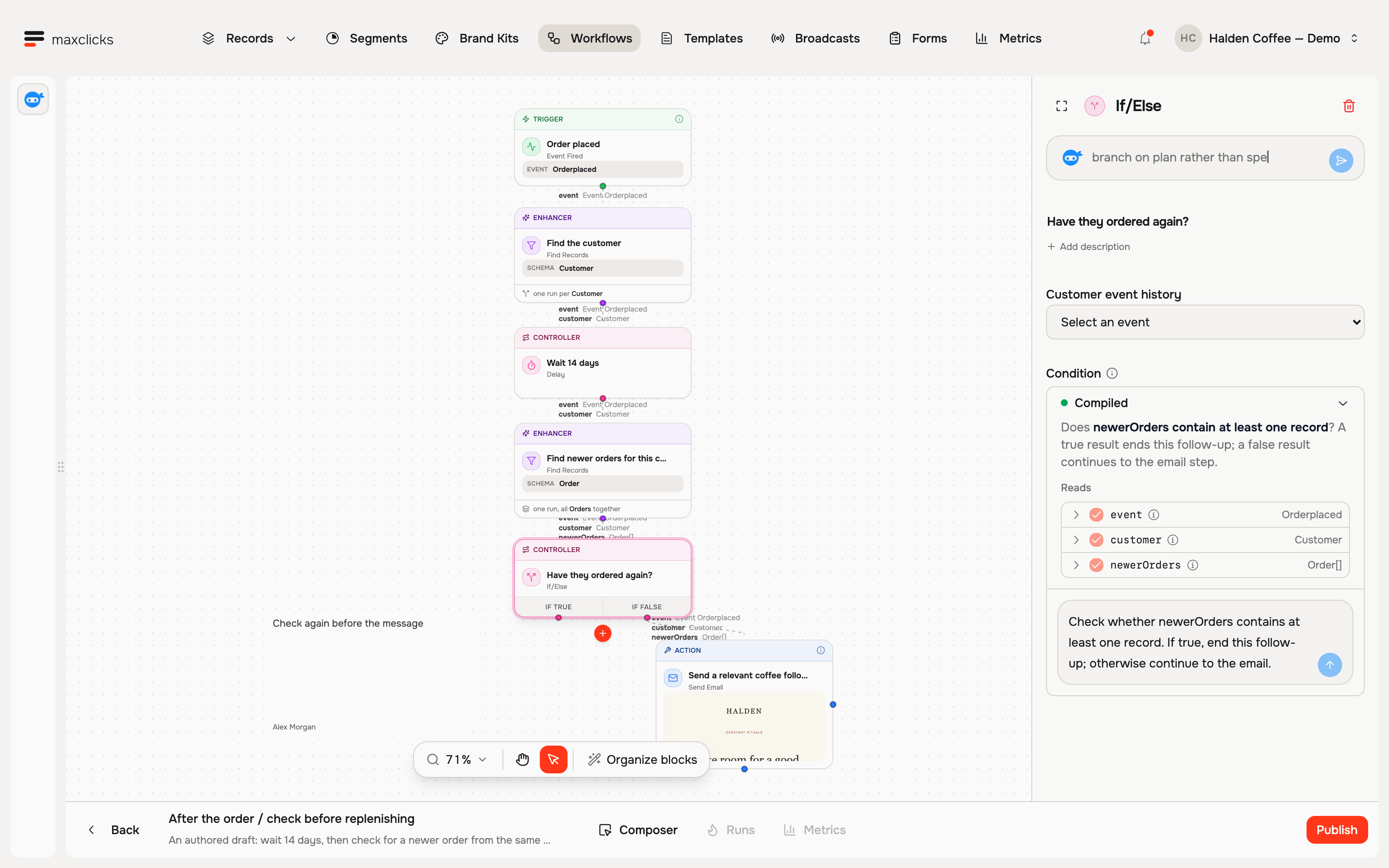
Branch on what a customer actually did.
A step can read the collected event history for a customer and decide from it. Events are stored for 24 months.
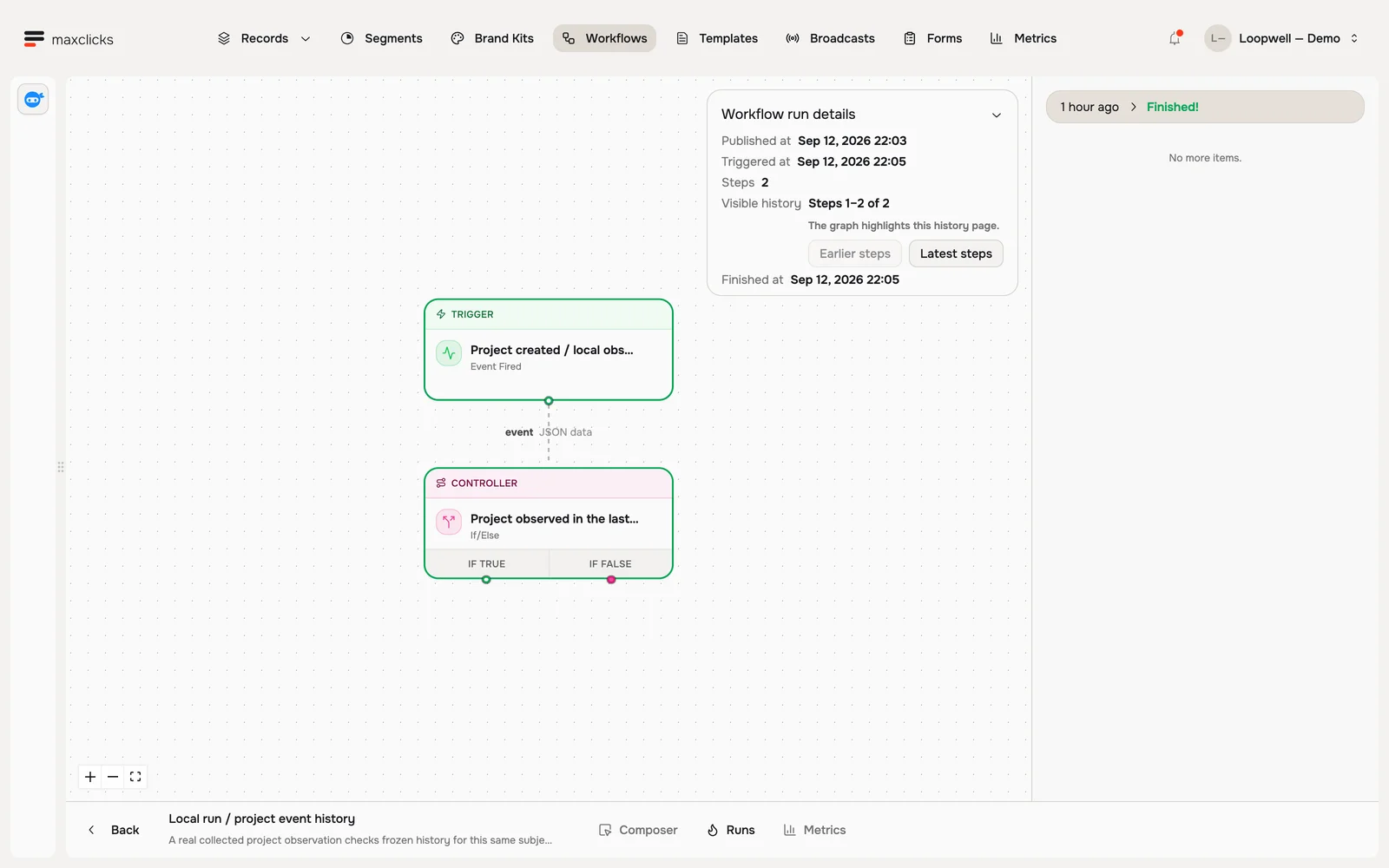
Every run keeps its step history.
Workflows publish as immutable versions. A run in flight finishes on the version it started on, and a newer order can end a follow-up.
| Workflow | maxclicks | Customer.io |
|---|---|---|
| Starting a workflow | Seven triggers: scheduled time, record created or updated, record deleted, event fired, email event, incoming webhook, evaluated attribute threshold. | The workflow pages we checked list message, data, delay and branch blocks and describe no trigger block. |
| Branching | If/else and switch, including weighted random branches for tests. Conditions are written in plain language and compiled. | True/false, multi-split and random cohort branches. Conditions are built in the editor and can read JSON with dot notation. |
| Waiting | Delay by duration or timestamp, decided by an expression or by AI. An email step can wait for open, click or bounce. | Time delay, time window and wait until, with an optional maximum wait. |
| Reading and writing data | Find records, set values, run read-only queries, create or update or delete records, fire events, call an HTTP endpoint. Records include contacts and custom objects. | Update people, send events, query collections and a webhook block for sending and receiving data. |
| AI inside a step | An AI step, AI-decided delays, and generated conditions and expressions. Adaptyle writes the email itself per recipient. | LLM actions write typed values to journey attributes. See the next section for their documented limits. |
| Repeating work | A for-each step iterates a list inside the run. | The workflow pages we checked describe no loop block. |
| Versions and in-flight runs | Workflows publish as immutable versions. A run in flight finishes on the version it started on and keeps its step history. | Not described on the workflow pages we checked. |
| Channels | Email only. | Email, push, SMS and Slack blocks in workflows. |
Generated workflow logic is not shown or hand-editable in maxclicks, so a reviewer reads the plain-language description and the compiled summary. Parallel branches and looping back to an earlier step are not available yet.
An LLM action fills a field. Adaptyle writes the email.
Customer.io LLM actions return typed values that a message can use. Adaptyle writes the message for each recipient. The documented limits show where the two differ.
- 1LLM action runsReads the person, the journey and the knowledge sources.
- Credits, model or Liquid errorCredits exhausted, model error, timeout or a Liquid error.
- 3Retries twiceThree attempts in total.
- Journey continuesWithout the attribute updates, unless a fallback value was set.
- 1Render for one recipientSubject and body are generated together.
- 2ValidateAuthored content must be preserved. Protected blocks restore exact text.
- 3Quality judgmentA pilot sample and about 1 in 100 recipients are judged.
- Fails: stays unsentNo blank or invented fallback is sent. The campaign pauses for review.
The instruction lives inside the email.
Adaptyle regions sit in the template next to your authored text. The model transforms the marked text and leaves protected blocks exactly as written.
One render for each recipient.
Each recipient gets a complete message, subject and body together, written from their own record.
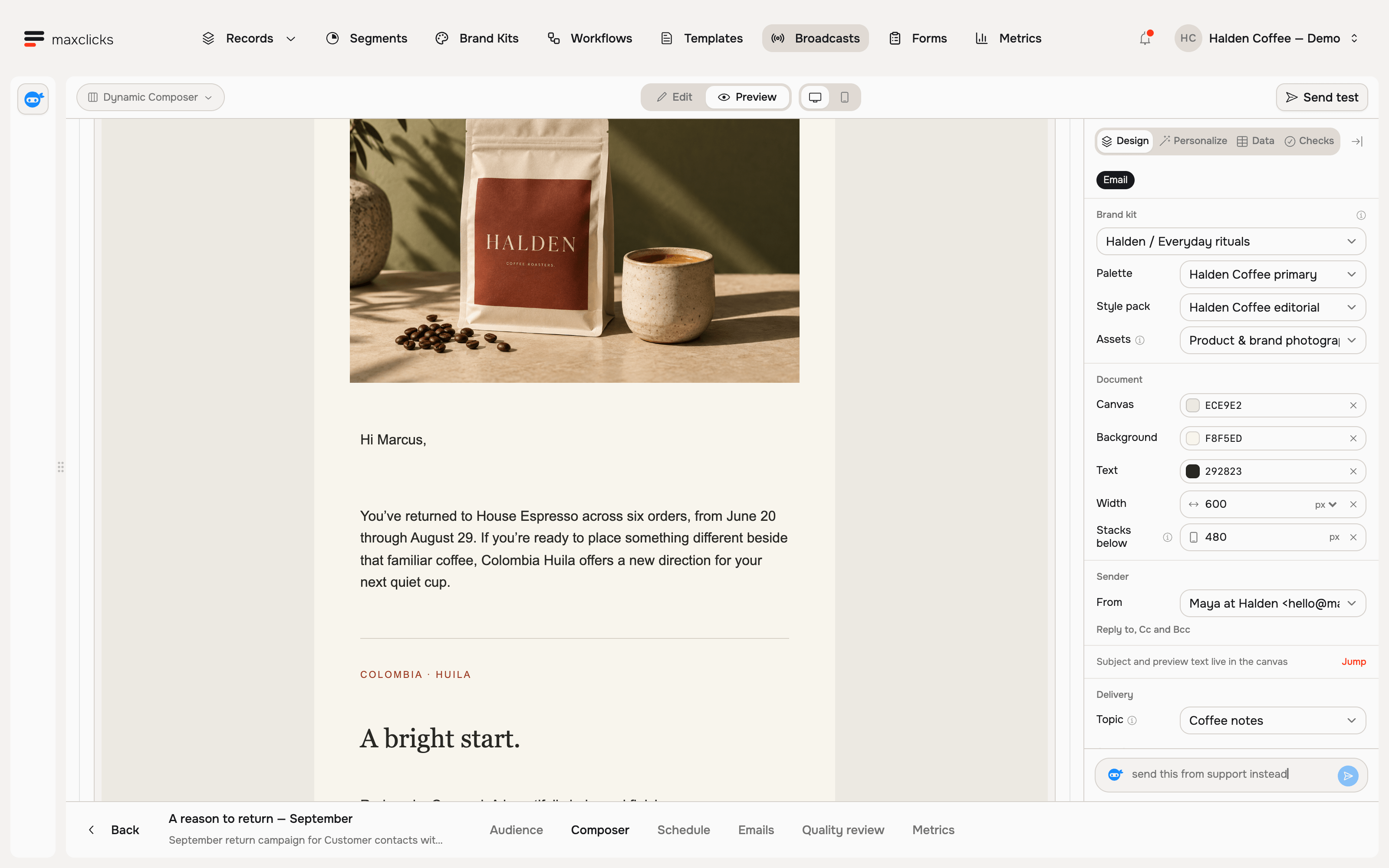
What the Customer.io docs say about LLM actions
Outputs are stored on the journey and expire when the person exits, unless converted to profile attributes.
An LLM action cannot set or modify events, objects or relationships, and cannot crawl websites.
Workspace business context does not apply automatically. It is added through Liquid.
The docs advise against communicating sensitive information or updates with LLM actions.
The one-time 100,000 credit grant expires after 90 days. Extra credits are $10 per 100,000.
Files under 25 MB and Google Drive text files. PDFs and Word files are not supported there.
| AI writing | Customer.io LLM actions | maxclicks Adaptyle |
|---|---|---|
| What it produces | Typed output fields: text, number, boolean, date, list and selects. Outputs land in journey attributes. | The whole message: subject and body are generated together for each recipient. |
| When the model fails | It retries twice. After three attempts the journey continues without the attribute updates. Fallback values are optional. | The render stays unsent. A generation error is never permission to send a blank or invented fallback. |
| Authored content | The output is a value you reference in Liquid. The docs describe no way to protect authored text from the model. | Protected blocks restore your exact authored text, and validation checks that authored content survived. |
| Quality checks | The docs describe preview and safety settings. They describe no sampled review of live output. | Campaigns judge a pilot sample and about one in a hundred recipients, and pause for review on failure. |
| What it can change | It cannot set or modify events, objects or relationships, and it cannot crawl websites. | An AI step feeds later steps that can write records and fire events. Adaptyle edits the email, not your data. |
| Output lifetime | Journey attributes expire when the person exits, unless you convert them to profile attributes. | Facts belong in Liquid fields. Fixed regions do not make a generated statement true. |
| Sensitive content | The docs advise against communicating sensitive information or updates with LLM actions. | Critical grounding, safety, privacy and consent failures cannot be overridden by a reviewer. |
| Model and cost | Reasoning or quick models with a credit multiplier. Credits are account-wide, with a one-time grant that expires after 90 days and $10 per 100,000 extra credits. | The model is a per-template setting. AI is billed from prepaid credits. |
Pricing at ten emails per profile.
Customer.io prices use its public Essentials rates: $100 for 5,000 profiles, $0.009 per extra profile and $0.12 per 1,000 emails above the included million. maxclicks prices follow our pricing page. Both assume ten emails per profile per month.
maxclicks starts at $49 with 5,000 records and 50,000 sends, then adds $5 per 1,000 records and $0.40 per 1,000 extra sends. A record is a contact or an object. Above roughly 22 to 35 emails per profile per month, Customer.io is the cheaper option.
Where Customer.io is stronger today
Where the work needs any of these, Customer.io is the better fit today.
Push, SMS, in-app and WhatsApp alongside email. maxclicks sends email only.
SSO and 2FA on every plan, SOC Tier II, US and EU data centers. maxclicks has no SSO, 2FA or admin audit log yet.
Years of production use, a large template and integration ecosystem, and agencies who know it.
Conversion goals and A/B testing. maxclicks has no A/B result reporting or revenue attribution yet.
Data pipelines and reverse ETL. maxclicks takes data through its REST API and CSV import; native connectors are in development.
A free startup year for companies that raised under $10M.
Choose Customer.io if
- You send SMS, push or in-app messages as part of the same journey.
- You need SSO, audit logging or a compliance attestation before you can buy.
- You run formal A/B tests and report on conversion goals.
- Your team already runs many journeys there and the work is maintenance, not building.
Choose maxclicks if
- Email is your channel and journeys are slow to build and change.
- You want each recipient to get a message written for them, with your exact wording protected.
- You want a plain-language goal turned into a workflow you review before it publishes.
- Your cost is rising with profile count more than with sends.
Sources, checked October 14, 2026
Customer.io is a trademark of its owner. Products change; tell us if something here is out of date.
Bring your next customer goal.
See what maxinja and Adaptyle can build for your customers.
Book a demo