Resend alternative
maxclicks and Resend, compared honestly.
Resend is a developer-first email API with marketing broadcasts and, since April 2026, automations. maxclicks is an email-first platform where an agent builds the journey and every recipient can get one generated message.
Resend facts come from its documentation, pricing page and changelog, checked on October 14, 2026. maxclicks facts come from the product itself.
Book a demoA small explicit graph, or a reasoning one.
Resend added automations in April 2026 with a short list of steps. maxclicks has more blocks for reading records, calling out and deciding with AI.
maxclicks
20 workflow blocksTriggers7
- Scheduled time
- Record created or updated
- Record deleted
- Event fired
- Email event
- Incoming webhook
- Attribute threshold
Context and AI5
- Find records
- Set value
- Query
- AI
- For each
Conditions and timing3
- If/else
- Switch
- Delay
Actions5
- Create or update records
- Delete records
- Fire event
- HTTP request
- Send email
Resend
8 workflow blocksTrigger1
- Custom event
Conditions and timing3
- Condition
- Delay
- Wait for event
Actions4
- Send email
- Update contact
- Add to segment
- Delete contact
Fewer blocks is not a flaw. Resend keeps the graph small and explicit, which suits a developer who writes the rules. maxclicks spends its extra blocks on reading records, calling out and deciding with AI.
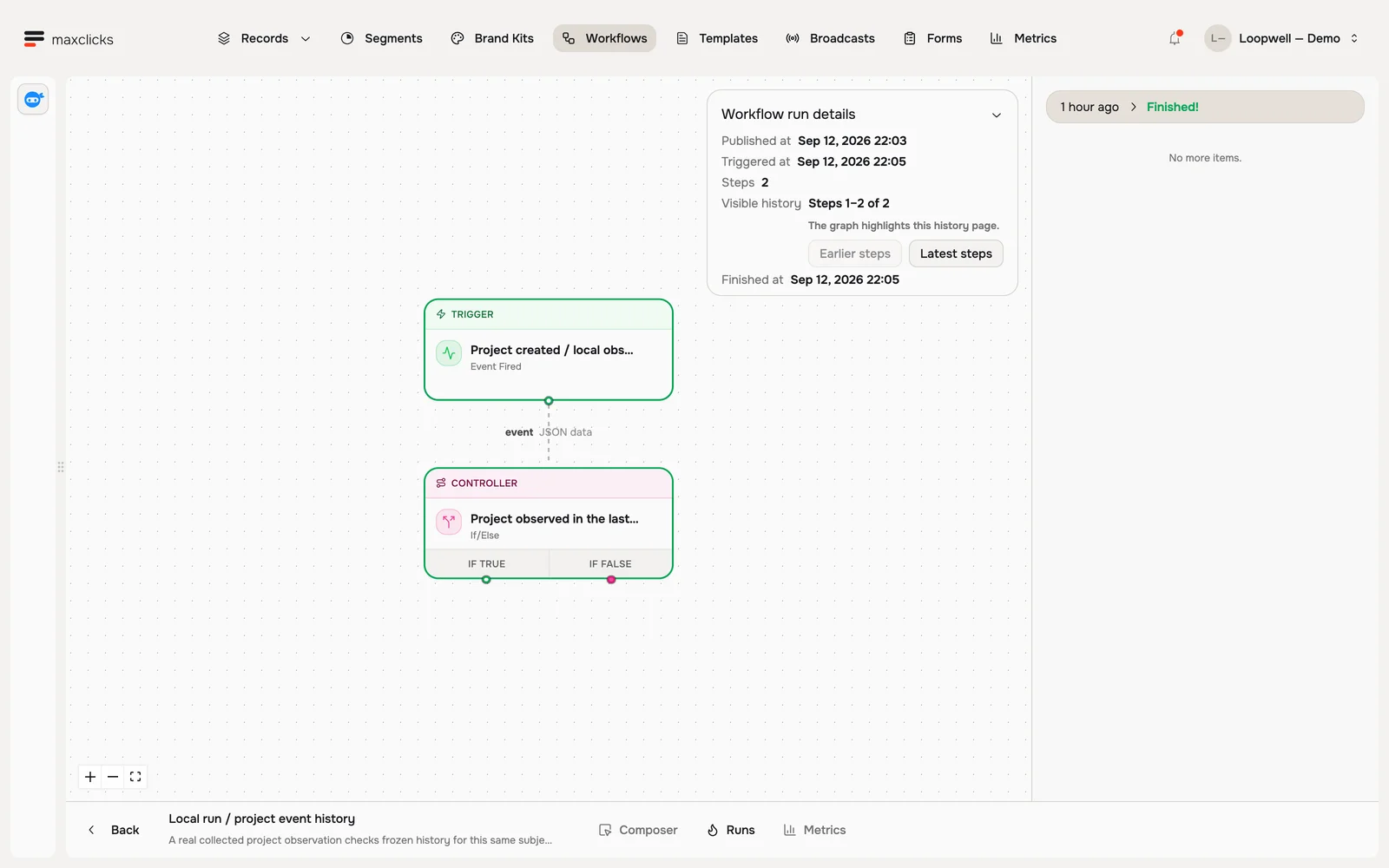
Describe the branch. Review what it compiled to.
A draft follow-up reads the customer’s newer orders after a 14 day wait and branches on the result. The inspector shows the compiled condition and the fields it reads.
Decide from what the customer has done.
A step can read collected event history and branch on it. Events are stored for 24 months.
| Automation | maxclicks | Resend |
|---|---|---|
| Starting an automation | Seven triggers: scheduled time, record created or updated, record deleted, event fired, email event, incoming webhook, evaluated attribute threshold. | A custom event your application sends. It names the contact by id or email, and a missing contact is created. |
| Branching | If/else and switch, including weighted random branches. Conditions are written in plain language and compiled. | A condition with and/or rules and eleven operators. It always has two outgoing branches, met and not met. |
| Waiting | Delay by duration or timestamp, decided by an expression or by AI. An email step can wait for open, click or bounce. | A delay up to 30 days, and a wait for event with an optional timeout up to 30 days and a filter. |
| Reading and writing data | Find records, set values, run read-only queries, create or update or delete records, fire events, call an HTTP endpoint. | Update contact, add to segment and delete contact. The docs list no query or HTTP request step. |
| AI inside a step | An AI step, AI-decided delays, and generated conditions. Adaptyle writes the email per recipient. | No AI step is documented. AI can build the automation from a plain-language description while you author it. |
| Repeating work | A for-each step iterates a list inside the run. | The step reference lists no loop. |
| Runs and versions | Workflows publish as immutable versions. A run in flight finishes on the version it started on. | Runs are running, completed, failed, cancelled or skipped. Stopping an automation lets runs in progress finish. The docs do not say which version a run follows. |
| Channels | Email only. | Email only, with inbound email receiving. |
Generated logic in maxclicks is not shown or hand-editable, so a reviewer reads the plain-language description and the compiled summary. Resend conditions are explicit rules you can read and write. AI steps, AI-decided branches and Adaptyle renders spend prepaid credits; compiled steps and static sends need no AI balance.
What the Resend docs say about limits
The trigger step starts from an event your application sends. Names cannot start with resend:, which is reserved.
Each condition yields condition_met or condition_not_met. The step reference lists no switch.
Both a delay and a wait for event have a 30 day maximum.
A template holds up to 50 variables. Values without a fallback must be supplied at send time.
The pricing page lists 5, 100 and 500 AI credits a month on Free, Pro and Scale. The docs we checked do not say what one credit buys.
10,000 runs a month are included, then $0.0015 per run.
Fill in a template, or write each email.
Resend personalizes by replacing variables, and uses AI to help you write the email. Adaptyle uses AI at send time to write one message per recipient.
- 1Event with payloadYour app sends a custom event naming the contact.
- 2ConditionRules read event, contact and wait-for-event fields.
- 3Send emailTemplate variables are replaced from the payload and contact.
- Missing valueNo fallback and no value: the email is not sent.
- 1Trigger and contextAn event starts the run. Steps read the customer and their orders.
- 2DecideA plain-language condition or an AI step picks the next move.
- 3Render per recipientAdaptyle generates subject and body. Protected blocks stay exact.
- Fails: stays unsentNo blank or invented fallback. The campaign pauses for review.
The instruction lives inside the email.
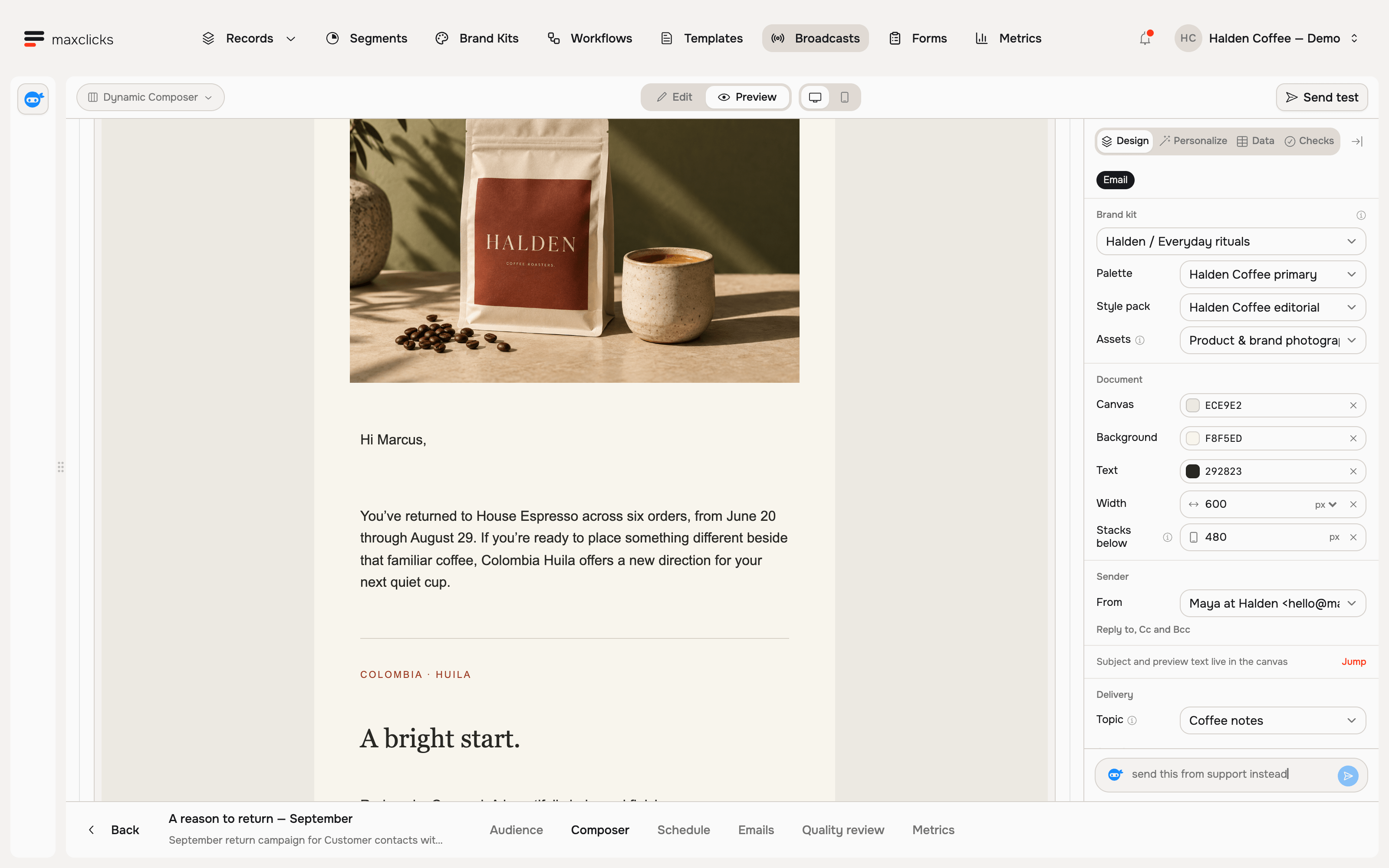
Adaptyle regions sit in the template next to your authored text. The model transforms the marked text and leaves protected blocks exactly as written.
One render for each recipient.
Each recipient gets a complete message written from their own record.
| Personalization | Resend | maxclicks Adaptyle |
|---|---|---|
| What personalization is | Variables replaced in a template. Types are string or number, with optional fallback values and up to 50 per template. | One generated render for each recipient, subject and body together. |
| Conditional content | The variables page documents no conditionals, loops or templating engine. | Liquid fields for facts, and Adaptyle regions for generated text. |
| Missing data | With no fallback and no value, the email is not sent and a validation error is returned. | The render stays unsent. A generation error is never permission to send a blank or invented fallback. |
| Where AI works | In the editor: draft from a URL, rewrite selected blocks, subject lines and a pre-send review. The docs describe no send-time generation. | At send time, per recipient. AI is billed from prepaid credits. |
| Quality checks | The editor reviews deliverability, compatibility, subject, preview text, links and typos before you send. | Campaigns judge a pilot sample and about one in a hundred recipients, and pause for review on failure. |
| Protecting authored text | The authored email is the same for every recipient, so there is nothing generated to protect. | Protected blocks restore your exact authored text, and validation checks that it survived. |
Contacts, or the whole customer.
Resend models people and their properties. maxclicks models people, the objects around them and what they did.
Fields computed from records.
Order counts, days since the last order and spend are evaluated from each customer’s purchase records, so segments and emails read them directly.
A segment written as a sentence.
At least two orders and no order in the last 14 days. The segment shows its matching customers before you save it.
| Data | Resend | maxclicks |
|---|---|---|
| Records | Contacts with custom properties. The docs we checked describe no custom object types. | Contacts and custom objects, each with its own schema. Orders, products or projects are records. |
| Property types | String or number. Keys are alphanumeric with underscores, up to 50 characters. | Typed attributes with per-type options, plus evaluated attributes computed from history. |
| Segments | Manually managed groups of contacts. The docs describe no rule-based membership. | Defined in plain language, with a live preview of the matching count and contacts. |
| Event history | The event payload is available as event.* inside that run. The docs describe no queryable history. | Events are stored for 24 months and steps read them to decide. |
| Data retention | Email and log data is kept 30 days on Free, Pro and Scale. | Event history is retained for 24 months. |
Marketing pricing by contacts.
Resend marketing prices are its public contact tiers, with no send limit. maxclicks prices follow our pricing page at ten emails per record per month.
Resend sells transactional email as a separate plan, from $20 for 50,000 emails. Its marketing plans carry no per-send charge, and automation runs beyond 10,000 a month cost $0.0015 each. maxclicks prices records and sends in one plan with no run meter. Resend's free plan includes 1,000 contacts and 3,000 transactional emails a month. maxclicks Free includes 100 sends.
Where Resend is stronger today
Where the work needs any of these, Resend is the better fit today.
Resend ships quickstarts for 13 environments, a CLI, a remote MCP server and a Logs API, all usable today. maxclicks has built SDKs in seven languages, an OpenAPI spec, a CLI and an MCP server, but none is published yet. Today you can use the REST API, SMTP and signed webhooks.
Dedicated IPs as a Scale add-on, custom return path, multi-region sending and domain verification events. maxclicks has no dedicated IPs.
SOC 2 Type II, multi-factor authentication, SSO as a Scale add-on and a 99.99% uptime SLA on Enterprise. maxclicks has no SSO, 2FA or admin audit log yet.
Resend receives mail at your domain, parses it and sends it to a webhook. The maxclicks manual describes no inbound email.
Resend Free includes 3,000 transactional emails and 1,000 marketing contacts. maxclicks Free is built for trying the product.
More than 100 changelog entries. Automations and an AI editor launched in April 2026, and the changelog also lists SSO and a remote MCP server.
Recent entries on the Resend changelog
- Single Sign-On
- Link Checker
- Email Compatibility Checker
- Template Folders
- Email Suppressions
- Remote MCP Server
- Duplicate Automation API
- Cancel Broadcast API
- Duplicate Broadcast API
- Import Contacts from CSV
- Account Usage API
- Logs API
Choose Resend if
- Developers own email and you want an API-first service with published SDKs in your language.
- You send high-volume transactional email and need dedicated IPs and delivery controls.
- You need SSO, an uptime SLA or a SOC 2 Type II report now.
- Your lifecycle flows are simple event-to-email sequences you can write as rules.
Choose maxclicks if
- Marketers own lifecycle and journeys are slow to build and change.
- You want each recipient to get a message written for them, with your exact wording protected.
- Your decisions depend on history and related records, such as orders, projects or purchase recency.
- You want to describe a segment or a condition in plain language and review what it compiled to.
Sources, checked October 14, 2026
- Resend changelog
- Resend pricing
- Automations
- Automation steps
- Automation runs
- Introducing Automations
- AI email editor
- Template variables
- Segments
- Security
Resend is a trademark of its owner. Products change; tell us if something here is out of date.
Bring your next customer goal.
See what maxinja and Adaptyle can build for your customers.
Book a demo