Loading the guide…
Understand credits and auto reload
Learn what credits are, what consumes them, how the wallet and seat credits work, and how manual charges and auto reload keep your balance topped up.
On this page
Credits are the currency maxclicks uses for pay-as-you-go work, mostly the AI features. They are simple: one credit equals one US dollar, held in your space wallet, spent as you use the platform. This article explains what draws down credits, how the wallet and per-seat credits relate, and how manual charges and auto reload keep you from running dry.
What a credit is
A credit is worth exactly one US dollar. There are no credit packs, no tiers, and no bulk discounts; you hold real dollars in a wallet and spend them at cost as you go. Every space has one shared wallet. On the Premium plan, each seat also has its own small credit allowance, described below.
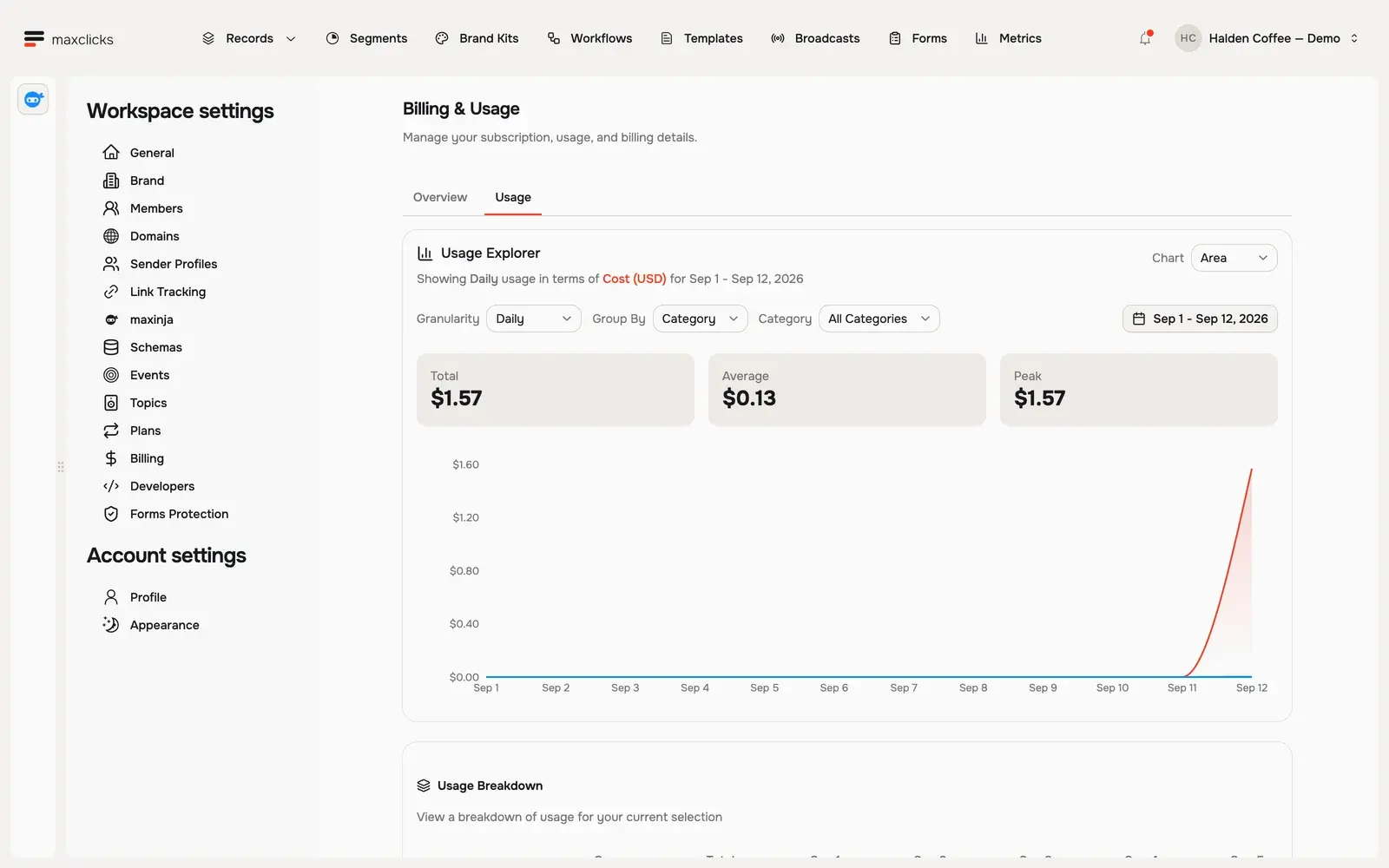
Because a credit is just a dollar, reading your usage is straightforward: a charge of 3 credits cost 3 dollars. You can see where your credits went, broken down by category and by member, in read your usage report and invoices.
What consumes credits
Credits pay for billable actions, which fall into a few broad groups.
- Named operations. maxclicks meters a short list of specific operations with a fixed fee: dispatching a broadcast, running a workflow step, each maxinja exchange, and generating an email template or a brand kit. Anything that runs once per recipient carries no fee at all.
- AI token usage. Any AI work, maxinja answering a question, generating an expression, writing content, draws credits based on the tokens it uses, marked up depending on the service.
- Email beyond your included allowance. On Premium, sends past the included monthly email volume are charged against your credit balance rather than added to an invoice.
In practice, the credit-heavy activities are the AI ones: running maxinja, generating segment conditions and workflow logic, and personalizing content with Adaptyle. Deterministic sending carries no per-message fee, so the AI features are where a wallet is really spent. Every charge becomes a usage row, and the usage report groups those rows by category and by member.
How a broadcast draws credits
A broadcast is a good illustration because its cost is almost entirely about the content, not the audience size. Sending one draws a single fixed fee for the dispatch, no matter how many recipients it has, and there is no per-recipient send fee. What scales with the audience is AI: if the template contains Adaptyle personalization prompts, maxclicks makes one AI call per recipient, and those tokens are almost always the largest part of the total. A prompt-free template renders deterministically and adds nothing per recipient, so the same list can cost very different amounts depending on whether the content asks the AI to personalize each message.
The wallet and seat credits
Premium has two layers of credit, and they are spent in a specific order.
Each seat, meaning each member with Write permission, includes 10 US dollars of credits per month, and these seat credits are use-it-or-lose-it: they reset each month and do not roll over. When that member triggers AI work, maxclicks spends their seat credits first, and only falls back to the shared space wallet once their seat allowance is gone. This keeps one heavy user from silently draining the shared balance before their own allowance is used. Seats and Write permission are explained in invite members and set permissions.
The shared space wallet is the pool everything else draws from, and the pool that manual charges and auto reload top up. On the Free plan there are no seats and no seat credits: the space has its one-time grant of 5 credits, and an admin tops the wallet up from there.
Add credits manually
An admin can top up the space wallet at any time with an active subscription. Manual charges are made in whole US dollars.
- Open billing
Open Settings, then Billing. The Credits Balance card shows your remaining balance and whether auto reload is on.
- Charge the wallet
Click Add Credits, enter a whole-dollar amount from 10 to 10,000 US dollars, and confirm the charge on your saved card. If your bank requires extra verification, complete the confirmation step it prompts, and the credits land in your wallet.
Charges run through a full payment flow, including bank verification such as 3-D Secure when your card requires it. If a charge needs action, maxclicks prompts you to complete it before the credits are added.
Set up auto reload
Auto reload can top up the wallet automatically when the balance reaches your chosen trigger. You set it with two dollar amounts: the balance that triggers a reload, and the amount to charge when it does.
- Turn on auto reload
In the Credits Balance card on Billing, click Enable auto reload. It requires an active subscription and a saved card. If auto reload is already on, the button reads Edit auto reload instead.
- Set the two amounts
Set When credit balance reaches to the balance that should trigger a reload, at least 20 US dollars. Set Bring credit balance back up to to the amount charged each time, at least 40 US dollars. The trigger balance cannot be more than half the charge amount, so a 40 dollar reload triggers at 20 dollars, while a 200 dollar reload can trigger anywhere from 20 to 100 dollars.
When your balance falls to the trigger, maxclicks charges your card for the reload amount, or for the whole-number multiple of it needed to clear the trigger in one charge. You can also switch auto reload on and set both amounts inside the Add credits dialog while you are buying credits by hand.
Auto reload is the right default for any space running live workflows or regular sends, because it helps keep a positive balance between checks. A failed payment or unusually large usage spike can still leave the wallet short. maxclicks also shows in-app warnings when your balance runs low, whether or not auto reload is on.
The overdraft cushion
maxclicks allows a small overdraft so a single action does not fail the instant your balance touches zero. The tolerated overdraft is 10 percent of your balance as of your last charge, meaning your existing balance plus the amount that charge added. This gives a little headroom for an in-flight action to finish, but it is a cushion, not an allowance to run negative on purpose. Keep a positive balance and let auto reload do the work.
Keep credits ahead of your automation
Credits are only a problem when they run out at the wrong moment, so the goal is to stay ahead of your spend rather than react to it. A few habits make that easy.
Keep enough headroom for your busiest action. A large personalized broadcast can draw a meaningful amount, because generating recipient variants consumes AI tokens, so your balance should comfortably exceed the cost of your single biggest send. Seat credits absorb light per-member work like a quick maxinja question, while the shared wallet is what carries these spikes, so size the wallet against your peaks, not your average.
Leave auto reload on for any space with live workflows. Automation runs when no one is watching, and insufficient credits can interrupt a workflow. Auto reload, set with a sensible trigger and reload amount, reduces that risk; inspect any failed run before deciding how to recover. Watch the in-app low-balance warnings too; they appear before you hit zero, giving you time to top up by hand if you prefer not to automate it.
Where credits fit with your plan
Credits are separate from your subscription. Your Premium subscription covers the base fee, seats, record packs, and included email, while credits cover the pay-as-you-go AI work on top. To understand the subscription side, read understand plans. To review what your credits were spent on, read read your usage report and invoices.
Frequently asked questions
What does one credit cost?
One credit equals one US dollar. There are no packs, tiers, or bulk discounts. You hold real dollars in your space wallet and spend them at cost as you use the platform, which makes reading your usage report simple: the credit count is the dollar count.
What actually spends my credits?
A handful of named operations carry a fixed fee: dispatching a broadcast, running a workflow step, each maxinja exchange, and generating an email template or a brand kit. On top of that, all AI token usage from maxinja, the generation features, and Adaptyle personalization draws credits. The AI work is where most credits go; per-recipient sending carries no fee of its own.
How do seat credits relate to the space wallet?
On Premium, each seat includes 10 dollars of credits per month, spent before the shared wallet for that member's own AI actions, and reset each month with no rollover. The shared space wallet covers everything else and is the pool that manual charges and auto reload refill.
How does auto reload decide when to charge?
You set two dollar amounts: the balance that triggers a reload, at least 20 dollars, and the amount charged when it fires, at least 40 dollars. The trigger cannot be more than half the reload amount. When your balance falls to the trigger, maxclicks charges your card for the reload amount, or for the multiple of it needed to clear the trigger in one charge.
Can I buy credits on the Free plan?
Yes. A free space starts with its one-time grant of 5 credits, given when it verifies its first domain, and an admin tops the wallet up in dollars from the Credits Balance card. Manual charges and auto reload need a saved payment method and admin permission, not a subscription.
Did this article answer your question?