Loading the guide…
Set your space defaults
Learn what the default domain, sender, and contact schema do, when each becomes required, and how to change them.
On this page
Your space tracks a small set of defaults that pre-fill inputs across maxclicks so you and your teammates start from the same choices. When you compose a broadcast, the default domain and sender are already selected. When you create a contact, the default schema is already chosen. This article explains each default, when it becomes required, and where to change it.
What defaults your space tracks
A default is the option maxclicks selects when a choice would otherwise be blank. You can always override a default in the moment; the default saves a step. Your space tracks these:
| Default | What it pre-fills | Where to change it |
|---|---|---|
| Default domain | The verified sending domain selected first when you compose or create a sender. | Settings, then Domains |
| Default sender | The saved sender profile selected first when you send email. | Settings, then Sender profiles |
| Default contact schema | The contact schema selected first when you create a contact, form, or broadcast audience. | Settings, then Schemas |
| Default brand kit | The brand kit new email content starts from. | The Brand kits page |
Most defaults set themselves the first time you create the underlying entity, so on a new space you rarely have to think about them. They matter most when you add a second domain, sender, or schema and want maxclicks to prefer a particular one.
This article covers the domain, sender, and contact schema defaults. The default brand kit is covered in create and publish a brand kit.
Why defaults matter
Defaults do two things. They save time by pre-selecting the option you almost always want, and they keep your team consistent. When every builder starts from the same default domain, sender, and contact schema, campaigns go out from the right address and land in the right schema without anyone having to remember which one is correct.
That consistency matters most as a space grows. A new space has one domain, one sender, and one contact schema, so there is nothing to choose. Once you add a second sending domain, a handful of sender profiles, or more than one contact schema, the default is what stops small mistakes: sending from the wrong domain, or creating a contact in the wrong schema. Setting deliberate defaults is a one-time step that pays off on every send afterward.
Default domain
Your default domain is the verified domain maxclicks reaches for first when a send needs a from-address, and the domain a new sender profile is created against.
The first domain you add becomes the default automatically. Once your space has at least one verified domain, keeping a default is required, because every send needs a verified from-address to fall back to. If you add more domains later, you choose which one is the default.
- Open your domains
Open Settings, then Domains. You see each domain and its verification status.
- Set the default
Select the verified domain you want as the default and mark it as the default domain. Only a verified domain can be the default, since nothing sends from an unverified one.
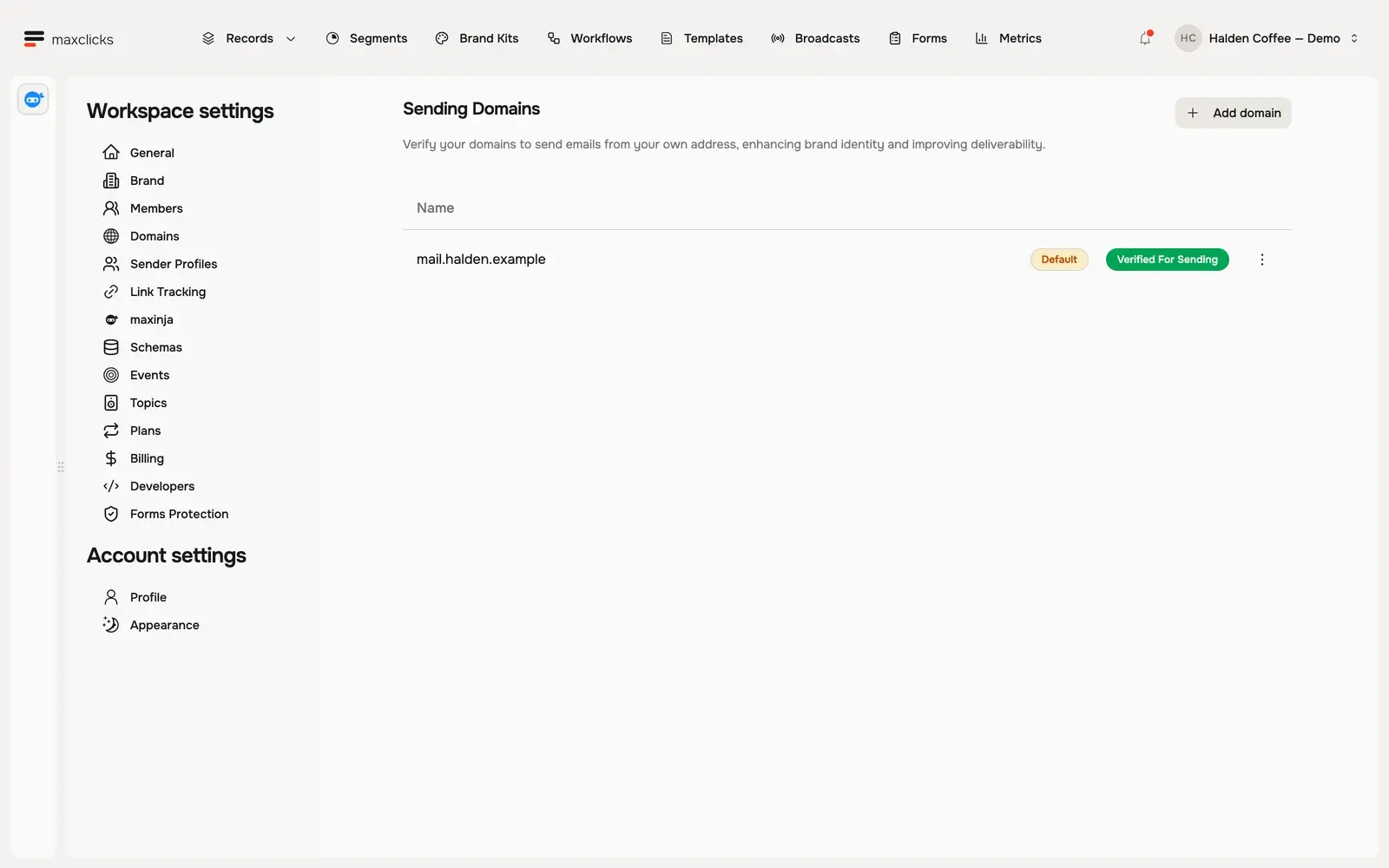
A domain has to be verified before it can send or be the default. If you have added a domain but not verified it, follow verify your sending domain first. Note that if the DNS records for your default domain are later removed, maxclicks un-verifies it and sending stops, so keep those records in place.
If you run more than one domain, pick the one you send the most marketing from as your default, since it is the address recipients will see most often. You can still send from any other verified domain by choosing it when you compose, so the default is a convenience rather than a restriction.
Default sender
A sender profile is a saved from-identity: a display name plus a local part on a verified domain, such as support@example.com. The default sender is the profile selected first when you compose an email.
The first sender you create on your default domain becomes the default sender automatically. maxclicks rejects duplicate sender addresses within a space, so each profile is a distinct address. When you compose, you can always pick a different saved sender or type a one-off name and local part instead.
- Open your sender profiles
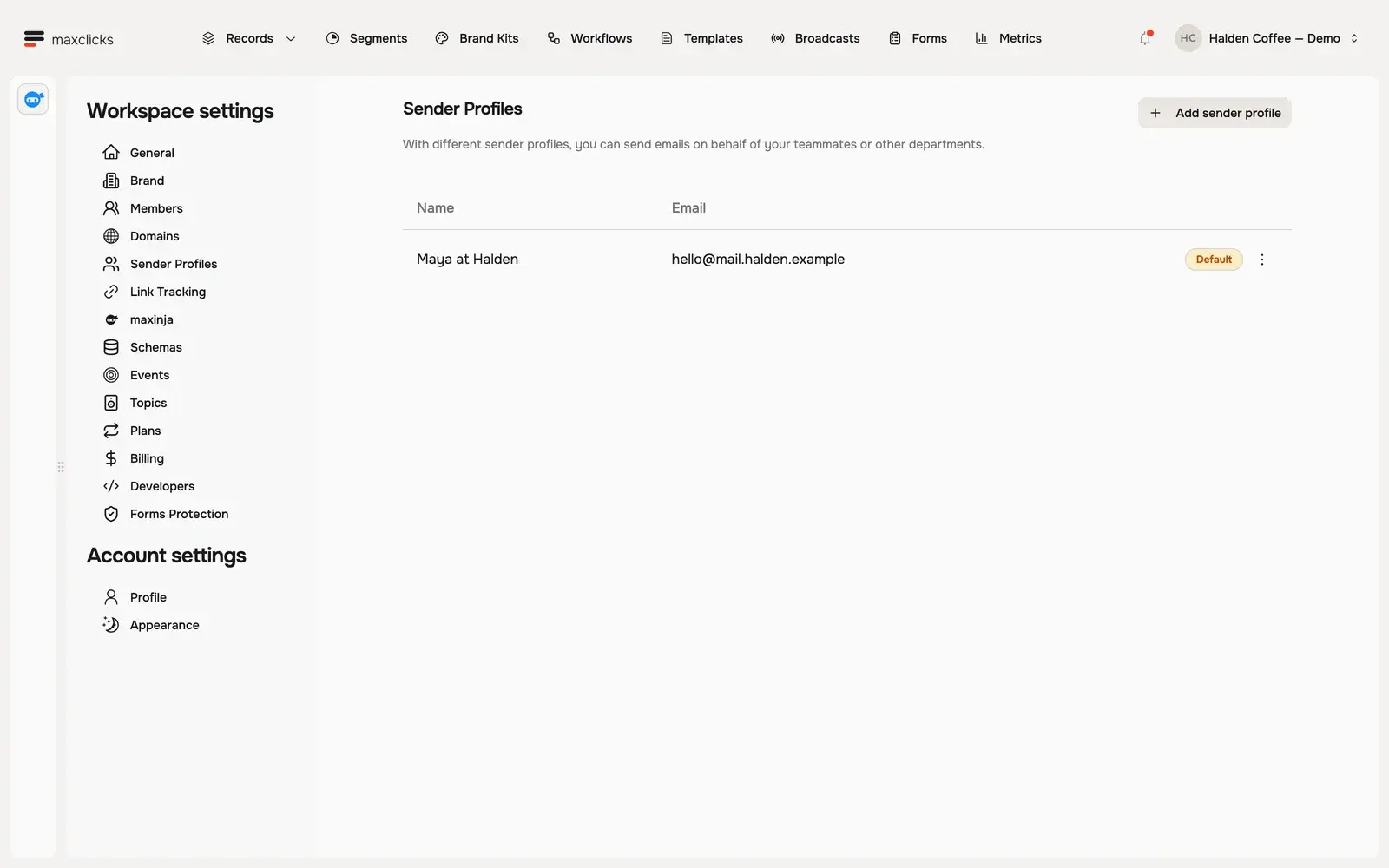
Open Settings, then Sender profiles. You see each saved sender and the domain it uses.
- Set the default
Open the actions menu on the sender's row and choose Set as default. It will be pre-selected the next time you compose.
Only a sender on your current default domain can be the default sender. Set as default is greyed out for senders on any other domain. If the sender you want lives elsewhere, make its domain the default domain first, then set the sender.
Default contact schema
A contact schema defines the shape of the people you message, such as Customer or Subscriber. The default contact schema is the one maxclicks selects first when you create a contact, build a form, or choose a broadcast audience.
The first contact schema you create becomes the default automatically, and your space always keeps at least one contact schema: you cannot delete your last one. If you add more contact schemas, choose which is the default so the most common one is pre-selected for your team.
- Open your schemas
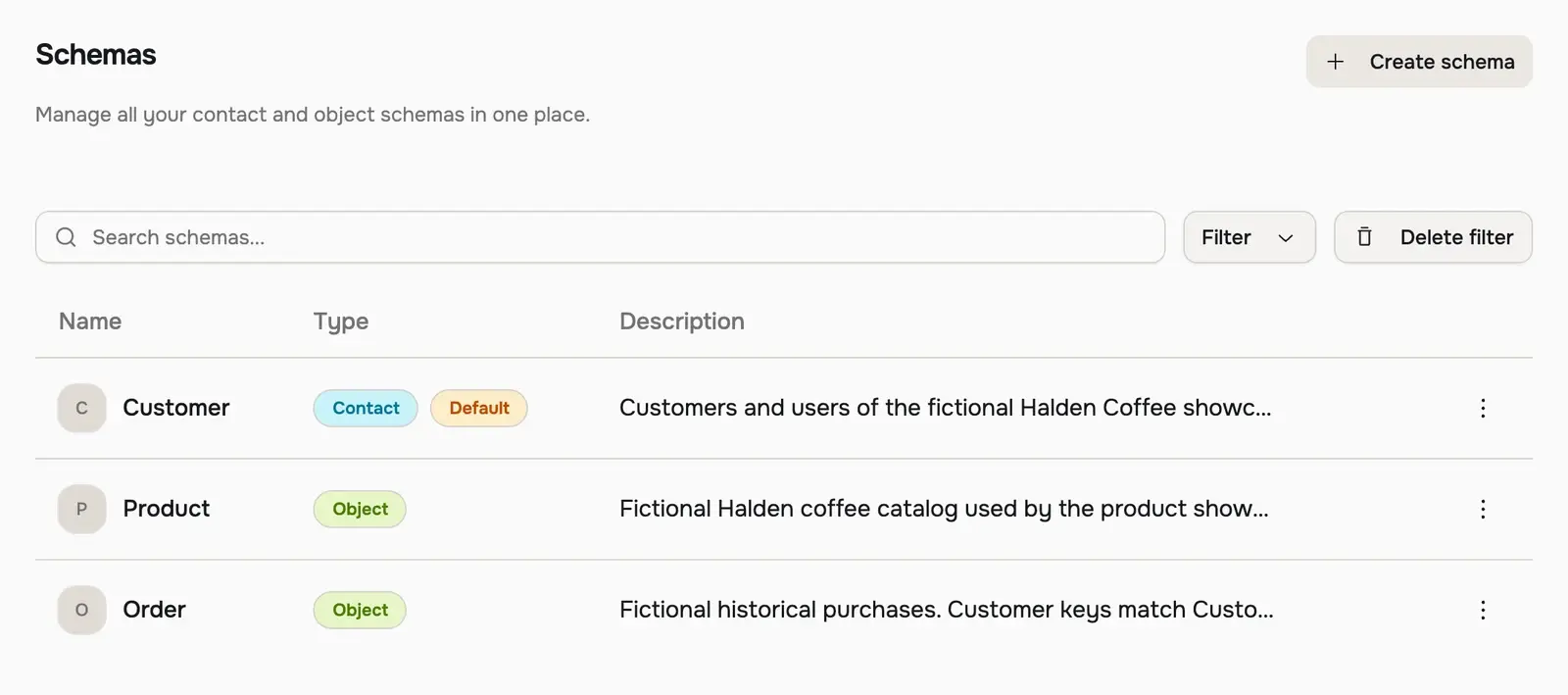
Open Settings, then Schemas. You see your contact and object schemas.
- Set the default contact schema
Select the contact schema you want as the default and mark it as the default. Only contact schemas can be a default contact schema.
If you have not built out your schema yet, start with create your first contact schema and understand schemas, contacts, objects, and events.
How the defaults relate to each other
The three defaults are connected, and it helps to set them in order.
The default domain comes first, because a sender profile is built on a verified domain. When you create your first sender, maxclicks creates it against the default domain and makes it the default sender. So a sensible default domain leads naturally to a sensible default sender.
The two stay tied together after that. The default sender must always live on the default domain, which is why Set as default is unavailable for senders on any other domain, and why changing the default domain replaces your default sender with the first sender on the new domain (or clears it if there are none). Set the domain first, then the sender, and check the sender again any time you switch domains.
The default sender then flows into the composer. Whenever you write a broadcast, template, or workflow email, the default sender is pre-selected as the from-identity. You can still switch to another saved sender or type a one-off name and local part for that single email, but the default is what you start from.
The default contact schema flows into everything that needs a schema binding: creating a contact by hand, building a form, and choosing a broadcast audience all begin with the default. It is the schema most of your work targets, so make it the one your team uses most.
None of these defaults lock you in for a given send. They are starting points, chosen to be right most of the time, and always overridable when you compose. The one thing to watch is the link between the domain and the sender: changing the default domain rewrites the default sender for the whole space, so revisit it afterwards.
When defaults become required
You do not have to configure defaults up front. They fill in as you build the space:
- The default domain is set for you when you add your first domain, and a default is required once you have a verified domain.
- The default sender is set for you when you create your first sender on the default domain, and it is reset for you whenever the default domain changes.
- The default contact schema is set for you when you create your first contact schema, and one always remains because the last contact schema cannot be deleted.
You only need to revisit these once you have more than one of something and want maxclicks to prefer a specific one.
Frequently asked questions
Why can't I set an unverified domain as the default?
Only a verified domain can send email, so only a verified domain can be your default. Add the DNS records and verify the domain first, then set it as the default. See verify your sending domain for the full process.
What happens to my default domain if I remove its DNS records?
A background check un-verifies the domain when its DNS records disappear, and sending from it stops. Keep the SPF, DKIM, DMARC, and return path records in place at your DNS provider so your default domain stays verified.
Can I still choose a different domain or sender when I compose?
Yes. Defaults only pre-select an option; they never lock you in. When you compose an email you can pick any verified domain, any saved sender, or type a one-off from-name and local part.
Why can't I delete my last contact schema?
Your space always keeps at least one contact schema, because contacts, forms, and broadcast audiences all need one to bind to. Create a replacement schema first if you want to retire the current one, then set the new schema as the default.
Why is Set as default greyed out on one of my senders?
The default sender has to live on your default domain. If the sender sits on a different verified domain, the action stays unavailable. Set that domain as your default domain first, then set the sender.
Who can change space defaults?
Admin and Member can change the default domain, sender, and contact schema. A Non-paid Admin can see the current defaults but cannot change them.
Did this article answer your question?