Understand transactional vs marketing email
Choose the right sending mode, understand its consent and suppression checks, and distinguish broadcasts, API templates and workflows.
On this page
Choose the sending mode from the purpose of the message. An order confirmation supplies details of a purchase; a new-product offer promotes another purchase. The first fits Transactional, while the second is Marketing, even when both go to the same customer.
Where the distinction lives
Choose Marketing or Transactional when creating the email content. The mode is fixed afterward. A broadcast, an API template and a workflow email can each carry either mode; the sending path does not determine it.
For marketing, Delivery → Topic in the composer can narrow eligibility to a communication topic such as Product updates. Topic membership and email subscription are separate. Topic editing is subject to the email’s normal editing state; scheduled broadcast content is read-only.
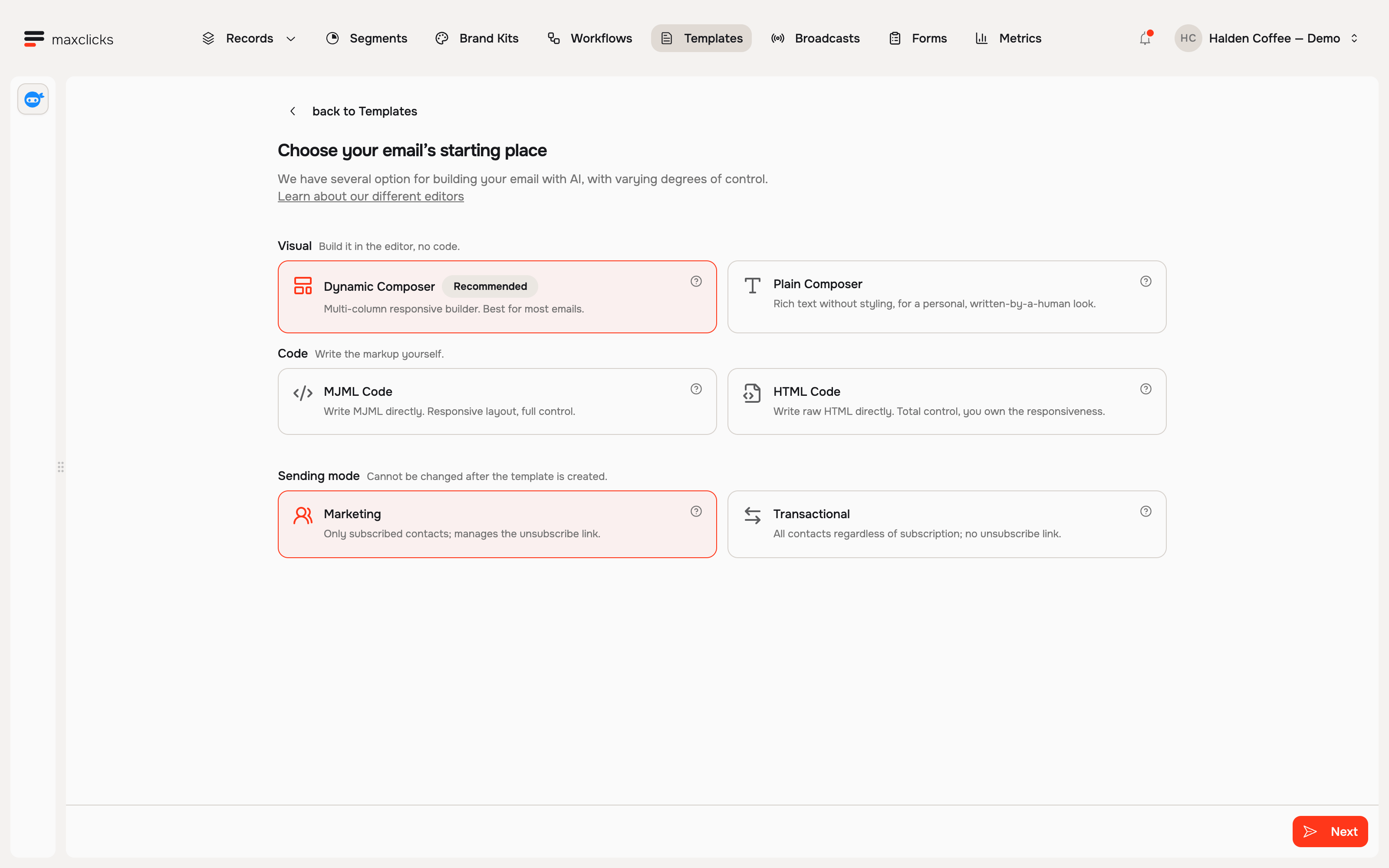
What marketing email requires
Use marketing for newsletters, offers and promotional announcements. The main recipient must be a contact whose email subscription is enabled. If the email has a topic, that contact must also belong to it. Any applicable channel-wide address suppression blocks marketing. A recorded topic opt-out also blocks this address for that topic, even when another contact with the same address still has topic membership.
A bare email address is not enough for a marketing recipient because there is no contact consent state to check. Marketing rendering adds unsubscribe behavior and one-click unsubscribe headers. Review preferences and opt-outs before your first campaign.
A subscription flag records platform state. It does not establish how consent was collected; your audience and collection process still need to support the message you intend to send.
What transactional email can do
Use transactional content for an expected operational message, such as a receipt or password reset. It bypasses marketing subscription and topic checks and can use a contact or a bare email address as recipient.
Transactional sends still check hard-bounce and consecutive-soft-bounce suppressions. Other suppression reasons do not block this mode. Sender verification, workspace sending controls, rendering and available sending capacity still apply. Transactional rendering does not add a marketing unsubscribe link or its one-click headers.
How each sending path uses the distinction
| Path | Use it when | Example |
|---|---|---|
| Broadcast | Your team chooses one audience and send time | A marketing product announcement |
| API template | Your application requests a saved message for a recipient | A transactional receipt |
| Workflow | A trigger starts steps, waits and decisions | A marketing onboarding sequence or transactional status update |
These are common uses, not restrictions on the mode each path supports. Inspect the content’s chosen mode and prerequisites before sending.
Never mark marketing as transactional
Choose transactional because the message serves the recipient’s transaction or request, not because a marketing send was blocked. A “we miss you, here is 20% off” promotion is still marketing even if it refers to an old order. For a missing subscription, use a properly consented audience or correct the consent record from evidence of the recipient’s choice.
The rules every send passes
A live send needs a verified sender, an enabled sending workspace, renderable content and the applicable credits and email allowance. Recipient checks then depend on the mode. A broadcast also prepares a fixed campaign revision and passes its quality requirements before dispatch.
If a send waits or fails, read its reason. Some problems affect one recipient; others hold the campaign or prevent sending altogether. A credit top-up does not itself expand a plan’s included email allowance. See the broadcast lifecycle and billing.
A composer test sends one already-rendered sample as transactional and uses email allowance. It checks that sample in an inbox, not whether the live marketing audience has consent.
The no cold email policy
Use maxclicks for permission-based marketing and expected transactional messages. Do not label unsolicited promotions transactional or treat an imported address as proof of consent.
Creation methods have different defaults. The standard CSV importer’s subscription checkbox starts off and supplies a default for new contacts; an explicit row value can also update an existing contact. API contact creation can default email subscription on. Review and set subscription state deliberately, and keep the evidence behind it. See add and edit contacts.
Frequently asked questions
Can I change the sending mode on an existing email?
No. Create new content with the correct mode, then review its sender, data contract and consent requirements. A send call cannot override the mode saved on the email.
Does sending through an API make an email transactional?
No. The mode follows the purpose and saved configuration of the content. A promotional message remains marketing even when a checkout event or an API call triggers it.
Does a successful test prove the marketing audience is eligible?
No. A test sends the rendered sample as transactional to the address you enter. Real marketing still needs the contact’s channel and selected topic consent, applicable suppression checks and campaign release.
Did this article answer your question?