Manage suppressions
Learn what suppressions are, why they apply to an address rather than a contact, which sends they block, and how to suppress or unsuppress an address.
On this page
Use a suppression to block an email address, including when more than one contact record shares it. For example, if a customer asks your team to stop marketing to an address, inspect its current consent state and apply the appropriate address block instead of deleting the history.
What a suppression is
A suppression is attached to an address, not a single contact. It affects existing and future contacts using that address within its scope. Changing one contact’s subscription does not remove an address suppression.
Why an address is suppressed
| Reason | How it is used |
|---|---|
| Unsubscribed | A channel-level marketing opt-out protects the recipient address |
| Hard bounce | A permanent delivery failure creates an automatic block |
| Spam complaint | Spam feedback creates an automatic marketing block |
| Consecutive soft bounces | A supported bounce reason, not automatically created by the current event handling |
| Manual | Your team records an operational do-not-contact decision |
| Legal | Your team records a block for a legal or compliance requirement |
Hard bounces and complaints also revoke email subscription on matching contacts and create audit entries. A topic-level opt-out records an address block scoped to that topic and removes the topic from matching contacts. It leaves other topics and the broader email channel unchanged. This topic block is separate from the channel-wide reasons in the suppression list. See preferences for channel, topic and changed-address behavior.
How far a suppression reaches
Space-scoped suppressions affect sending from that space. The sending checks also honor applicable global suppressions. Removing a space block does not remove a global block or a block in another space.
Because an address can appear on multiple contacts, review the effect on all contacts sharing it before making a change. A topic opt-out blocks marketing bound to that topic for the address in this workspace. A topic-less message is not blocked by that topic decision alone; its channel consent and other suppressions still apply.
Which sends a suppression blocks
| Reason | Blocks marketing | Blocks transactional |
|---|---|---|
| Unsubscribed | Yes | No |
| Manual | Yes | No |
| Legal | Yes | No |
| Spam complaint | Yes | No |
| Hard bounce | Yes | Yes |
| Consecutive soft bounces | Yes | Yes |
These are the platform’s suppression rules. A transactional label does not make promotional content appropriate to send, and a passed suppression check does not guarantee delivery. See transactional versus marketing.
Suppress an address manually
- With Write permission, open the contact from Records.
- Inspect its email address, subscription and existing suppressions.
- Use the suppression control, choose Manual or Legal, add useful context and confirm.
- Check the displayed reason. The block applies to marketing for that address, including other contacts sharing it.
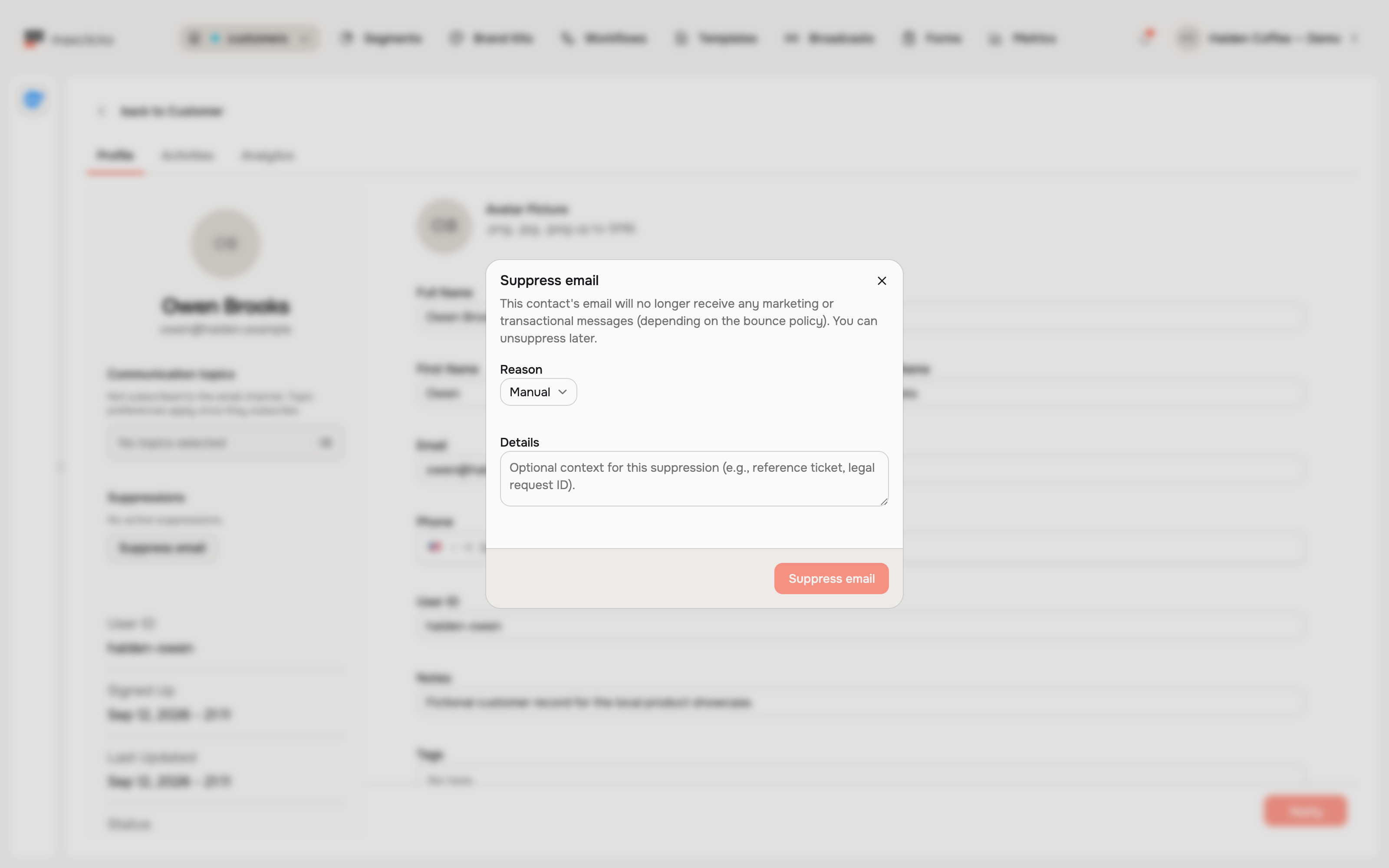
The contact UI operates on one address at a time. For a do-not-contact list, use the suppression API; its public create/delete operations require an API key whose owner has Admin permission and support manual and legal reasons.
Unsuppress an address
Remove a block only after resolving the reason or recording the recipient’s renewed request. With Write permission, open the contact, inspect the listed address suppressions, use the removal control and confirm. Recheck the remaining reasons afterward.
Removing a channel-wide suppression does not remove a separate topic opt-out. Use the recipient’s valid preferences flow to restore an available topic when they request it.
Unsuppressing does not restore email subscription or topic membership. A contact can remain ineligible because of another block, missing consent, a missing topic or a sending restriction. Conversely, removing an address block affects all contacts sharing that address within the space.
Do not clear an opt-out or complaint simply to repeat a campaign. Use the resubscription flow when the recipient wants to return.
Related deliverability topics
Check preferences and opt-outs for how a block was created, sending modes for what it blocks, and contact records for the subscription state that still applies.
Frequently asked questions
Can another contact with the same email bypass a suppression?
No. Channel-wide blocks apply to the normalized address within their scope. A topic opt-out also protects that address for that topic in the workspace, including through another contact record.
Does removing a suppression restore consent?
No. Check email subscription, selected topic membership and any remaining topic or channel block separately. A recipient’s valid preferences flow can clear the relevant opt-out when they choose to return.
Do several soft bounces automatically suppress an address?
The consecutive-soft-bounce reason is supported by sending checks, but current event handling does not create it automatically. Inspect the actual suppression reason rather than assuming every sequence of temporary failures created a block.
Did this article answer your question?