Loading the guide…
Understand schemas, contacts, objects, and events
Learn how contact, object, and event schemas structure your data, which base attributes each type includes, and why schemas matter.
On this page
Schemas are how maxclicks understands your business data. Every record you store, whether it is a person, a product, or a purchase, belongs to a schema that defines its shape. Getting the shape right is what makes everything downstream work: segments, broadcasts, workflows, and maxinja all rely on your data being structured and consistent.
This article explains the three schema types in plain words, the fields each type includes for free, and why the schema system is the foundation the rest of the platform stands on.
The three schema types
maxclicks has exactly three kinds of schema. Each one answers a different question about your business.
- A contact schema describes people you can message.
- An object schema describes any other business entity.
- An event schema describes something that happens.
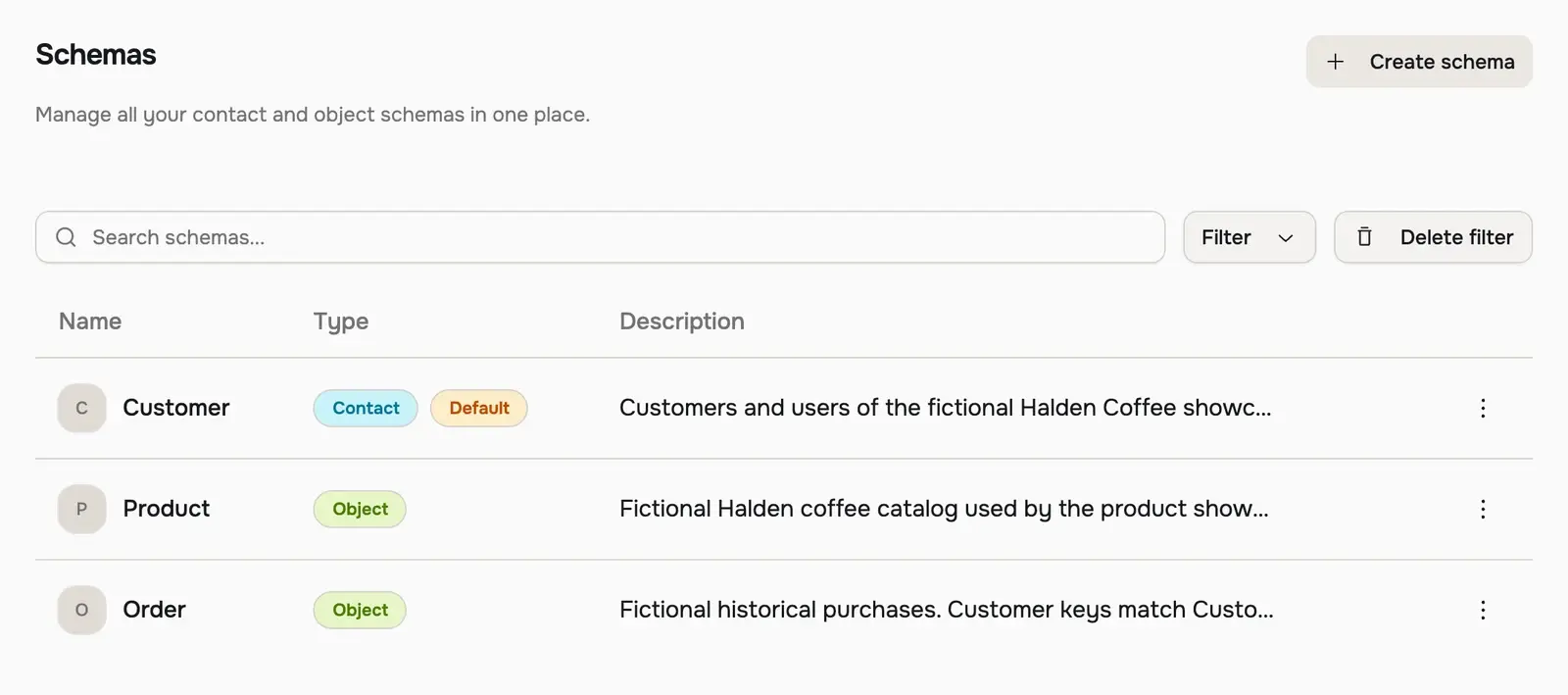
You can have as many schemas of each type as your business needs. A store might have a Customer contact schema, a Product object schema, and a Purchase completed event schema, all in the same space. The type you choose is permanent, so pick it based on what the records represent.
Contacts are people you can message
A contact schema represents entities that can receive communication, such as Customer, Subscriber, or Student. Contacts are the only records you can email. They carry consent, subscriptions, and an audit trail, so maxclicks always knows whether it is allowed to reach a given person.
Contacts are also the audience for segments and broadcasts. If you need to send email to a kind of record, it must live in a contact schema.
Objects are any other business entity
An object schema represents anything that is not a person you message: a Product, a Company, a Subscription, an Order. Objects hold data and relate to your contacts, but they cannot receive email and carry no consent.
Objects behave like contacts in most other ways. They validate against their schema, they support tags and notes, and they can carry your own custom attributes. Use them to model the things your contacts interact with.
Events are things that happen
An event schema represents a time-based occurrence, such as Purchase completed or Cart abandoned. Events are how you drive automation: firing an event can trigger a workflow or an outgoing webhook.
Events differ from contacts and objects in one important way: they are immutable. Once an event is fired, it is never updated or deleted. It records that something happened at a point in time, and that record stands. maxclicks keeps your event history for 24 months, and everything you build, from segments to evaluated attributes, can read that full history, including events fired before the thing that reads them existed.
Base attributes every schema includes
Every schema ships with a fixed set of base attributes. You cannot rename or remove them, because maxclicks and its integrations rely on them being present with the same keys everywhere. They cover the fields almost every business needs, so you rarely start from nothing.
Contact schemas include the richest set, because contacts carry identity and consent.
| Attribute | What it holds |
|---|---|
| The primary email address, used to send and to match contacts. | |
| firstName, lastName | The parts of a person's name. |
| fullName | A single full-name field for when you do not split first and last. |
| phone | A phone number. |
| avatarUrl | A link to a profile image. |
| userId | Your own external identifier for the person, such as an ID from your app. |
| subscriptions | Which channels the contact has consented to. Currently email. |
| topicIds | Which communication topics the contact belongs to. |
| notes | Free-form notes about the contact. |
| tags | Plain labels for grouping and filtering. |
| source | How the contact entered: import, api, form, manual, workflow, or integration. Set by maxclicks. |
| emailStatistics | Per-contact email counts: sent, delivered, bounced, complained, unsubscribed, unique opens, and unique clicks. Set by maxclicks. |
| createdAt, updatedAt | When the contact was created and last changed. Set by maxclicks. |
Because these fields are part of the schema, everything that reads a contact can use them. You can segment on emailStatistics, for example, to find people who have been sent ten emails and opened none.
Object schemas carry a smaller base set, because objects have no identity or consent to track.
| Attribute | What it holds |
|---|---|
| externalId | Your identifier for the object from an external system. Unique per schema. |
| notes | Free-form notes about the object. |
| tags | Plain labels for grouping and filtering. |
| createdAt, updatedAt | When the object was created and last changed. Set by maxclicks. |
Event schemas carry the smallest set, because an event is a moment in time with a payload.
| Attribute | What it holds |
|---|---|
| eventId | Your deduplication key for the event. Firing the same eventId twice is absorbed once. |
| createdAt | When the event was recorded. Set by maxclicks. |
Everything beyond these base attributes is yours to define. You add your own fields, called attributes, on top of the base set. To learn the types available and how to add them, read add attributes to a schema.
Why schemas matter
A schema is more than a label. It does real work every time data enters or is used.
They are a validation gate
When a record enters maxclicks, from an import, a form, the API, a workflow, or an integration, it is checked against its schema first. Fields the schema knows about are stored. Fields it does not know about are dropped.
This drop is silent to the record but reported: the API returns a warning listing the keys it ignored. The value itself is gone and cannot be recovered, so the lesson is to define your schema before you bring data in. A misspelled or undeclared field is not an error that stops the import; it is data that quietly does not land.
They are the foundation for AI
maxclicks feeds your schema definitions to its AI features. When maxinja writes the logic behind a segment, an evaluated attribute, or a broadcast audience, it reads your schemas and attributes to work out what is possible and to generate logic that runs against your data.
Because every record is validated against a schema, the fields are known to exist and to hold the right types, which is what the generated logic depends on. Clear names and descriptions on your schemas and attributes are what maxinja reads, so vague ones give it less to work from.
Rules that keep schemas safe
A few rules protect you from changes that would break data you already have.
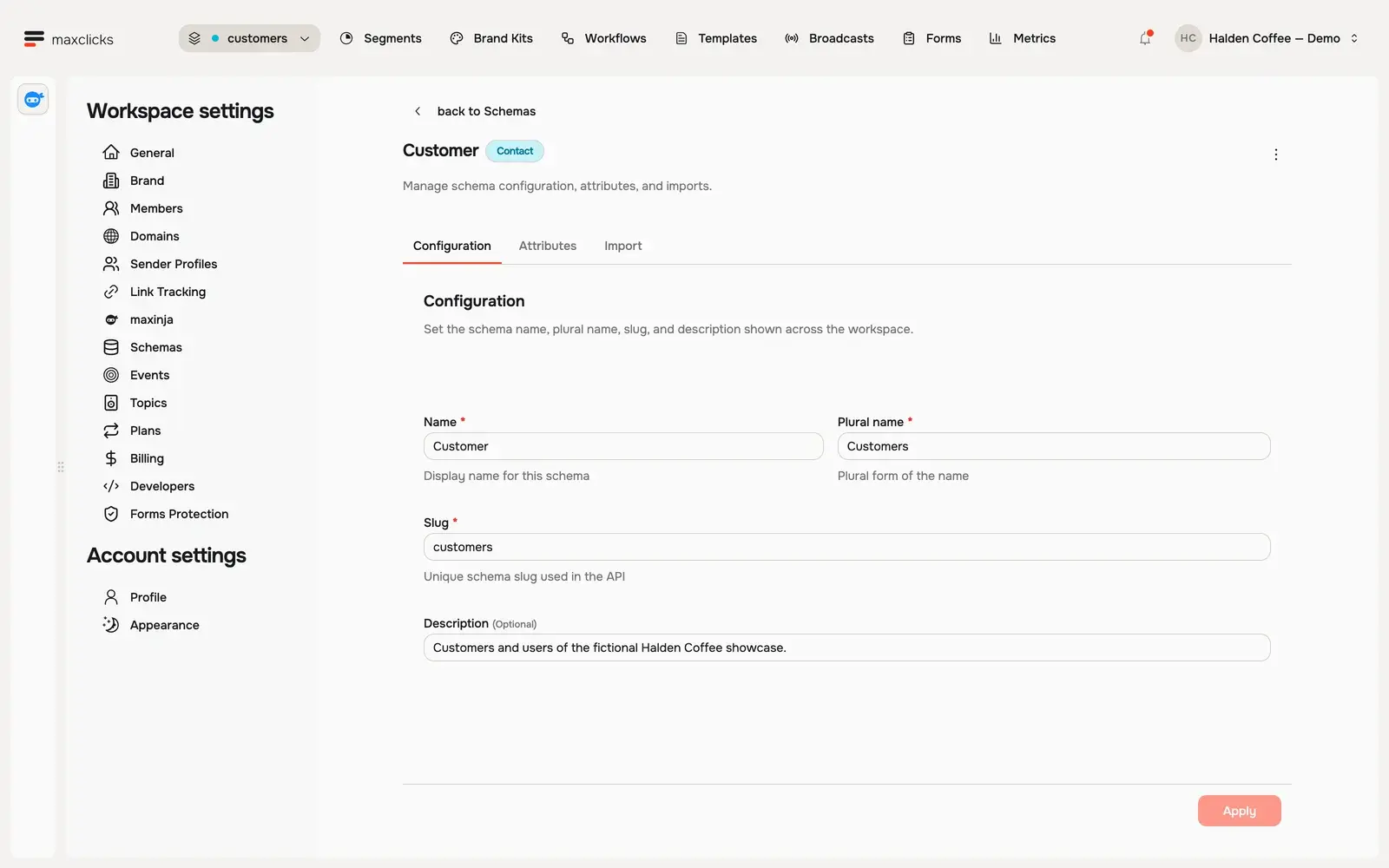
- Type and slug are permanent. Once a schema exists, you cannot change whether it is a contact, object, or event, and you cannot change its slug. The name, plural name, and description are the only fields an update accepts. Choose the type and slug deliberately.
- You always keep at least one contact schema. Once your first contact schema exists, deleting your last one is refused: the space must always have a contact schema to act as the default.
- Deleting a schema deletes its records. Removing a schema removes every record in it. Treat schema deletion as permanent data loss.
- A schema in use cannot be deleted. If attributes, segments, broadcasts, workflow steps, or webhooks reference a schema, maxclicks blocks its deletion until you remove those references.
Where schemas live
You manage schemas in two places. Contact and object schemas live under Settings, then Schemas, where you create them, edit their attributes, and run CSV imports. Event schemas live under Settings, then Events, alongside a viewer for the events that have been fired.
To browse the actual records, open Records in the top bar and choose a schema. That opens its data table, where you filter, search, add records, and run bulk actions. Learn how in add and edit contacts.
If you are setting up your data model for the first time, start with create your first contact schema, then add the fields your business needs with add attributes to a schema.
Frequently asked questions
What is the difference between a contact and an object?
A contact is a person you can email: it carries consent, subscriptions, and an audit trail. An object is any other business entity, like a product or a company, that holds data but cannot be messaged. Both are records, both validate against a schema, and both count toward your plan the same way.
Can I change a schema from one type to another?
No. A schema's type is set when you create it and cannot change afterward. If you picked the wrong type, create a new schema of the correct type and move your data into it. The same applies to the slug, which is also permanent.
Why did some of my imported fields not appear?
Because their column headers did not match an attribute key on the schema. maxclicks validates every incoming record against its schema and drops fields it does not recognize, reporting them as a warning rather than stored data. Match your headers to the exact attribute keys, then re-import.
How many schemas can I have?
As many as your business needs, across all three types. A typical space has one or two contact schemas, a few object schemas for the things contacts interact with, and a handful of event schemas for the moments you want to automate on.
Do events count toward my plan like contacts and objects?
Events are not billed as records the way contacts and objects are. They are meant for meaningful moments that drive automation, not high-volume analytics, and they are retained for 24 months. Keep events purposeful: fire them for things you want to act on, such as a completed purchase, not for every page view.
Did this article answer your question?